A GoHighLevel snapshot is a packaged copy of a sub-account’s setup: funnels and websites, workflows, pipelines, custom fields, forms and the rest. It copies the skeleton, not the data, so contacts, opportunities and leads stay behind. Below: where snapshots live, how to build one, what to put in it and how to share or sell it. Snapshots need an agency account; our 30-day GoHighLevel trial gives you 30 days instead of 14.
GoHighLevel deal
Extended 30-day free trial (the standard is 14 days), plus the free GHL Launch Vault (20 bonuses, including a client-ready sales kit).
What a snapshot includes
A snapshot carries the setup: funnels and websites (including the website template), workflows, pipelines and stages, custom fields and custom values, forms, tags, knowledge bases, review settings, documents and contracts, dashboards and email templates. It does not carry contacts, opportunities or leads, so a client starts with a working system and an empty database.
Where to find snapshots
Switch to the agency view (top left, not inside a sub-account) and open Account Snapshots in the left menu. The tabs are My Snapshots, Imported snapshots, Shared snapshots and Snapshot templates.
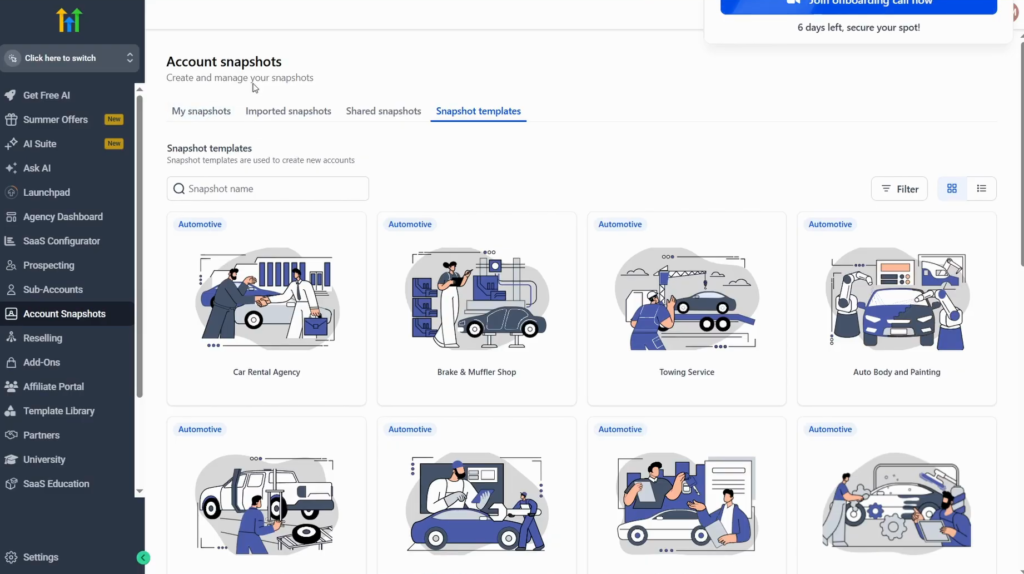
Snapshot templates are ready-made setups for niches. Pick one and click Create sub-account to start a client from it.
Step 1: Build the sub-account you want to copy
A custom snapshot is only as good as the sub-account behind it. Use an existing account or make a new one just for the snapshot, and finish it first:
- Dashboard: the widgets the client should see (Edit dashboard).
- Opportunities: the pipelines and their stages.
- Sites: funnels, websites and forms.
- Automation: the workflows the client will need.
Step 2: Create the snapshot
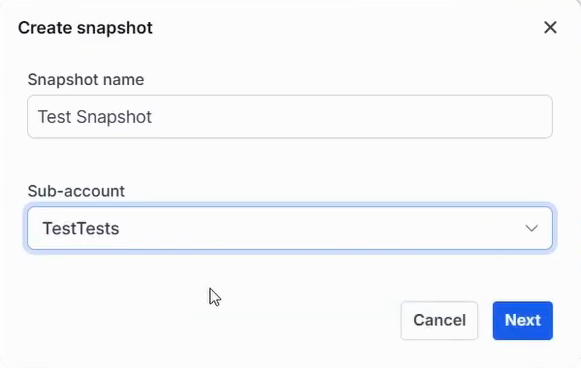
- In the agency view, open Account Snapshots, then My Snapshots.
- Click Create snapshot.
- Name it and select the sub-account you prepared.
- Click Next.
Step 3: Choose what goes in
GoHighLevel analyses every asset in the sub-account and lists them with a count. Select all, or tick them one by one; items showing 0/0 cannot be selected. In the video, documents and contracts stay out because they were not meant to be shared.
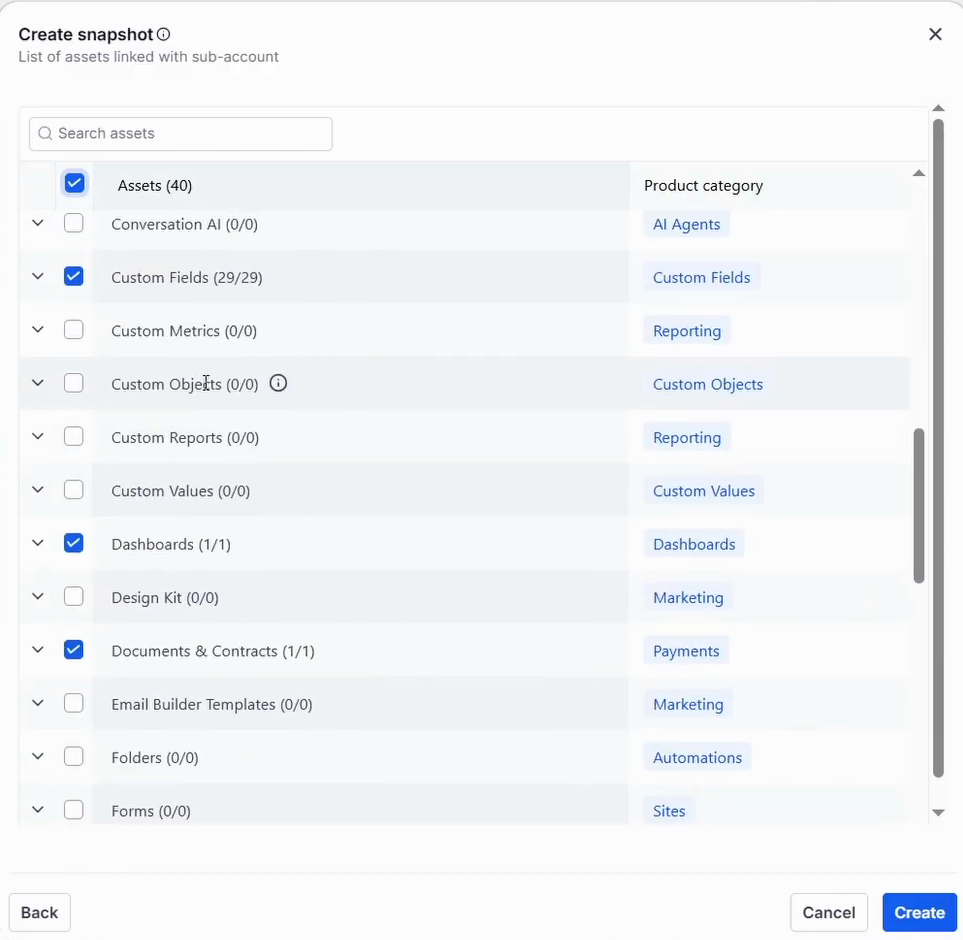
Check the list before you click Create: everything ticked goes to everyone you share the snapshot with. Large snapshots take a while to build.
Step 4: Share or sell the snapshot
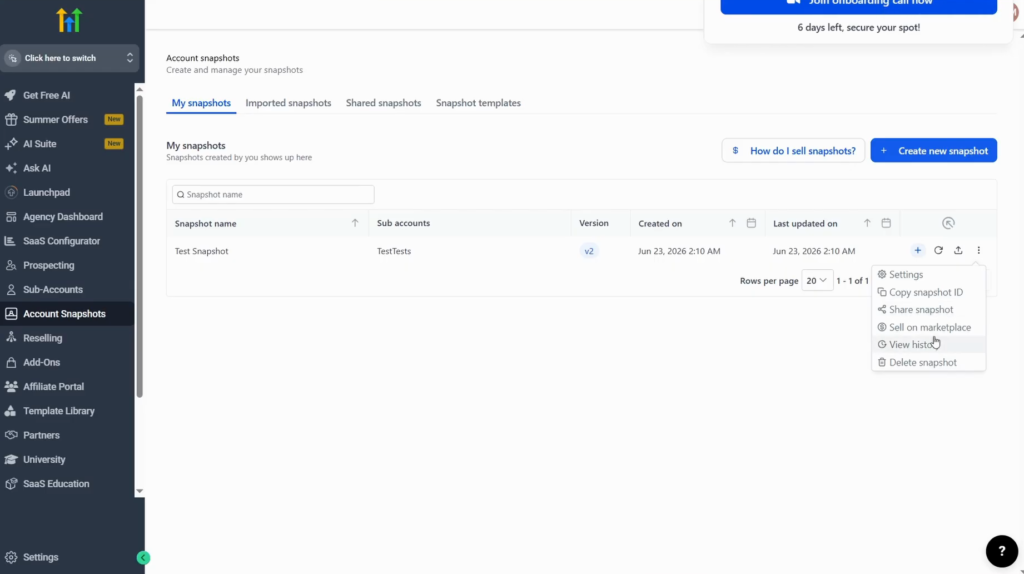
In My Snapshots, the three-dot menu next to a snapshot has Settings, Copy snapshot ID, Share snapshot and Sell on marketplace, where you set a price. You identify snapshots by name only, so name them clearly.
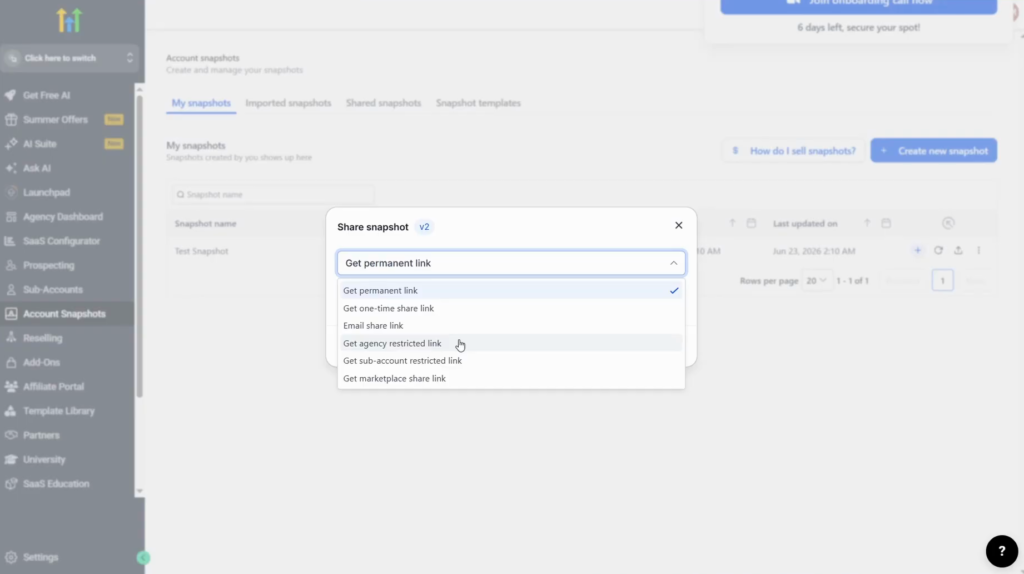
Share snapshot offers six link types:
| Link | Use it for |
|---|---|
| Permanent link | A public audience, for example viewers of a YouTube video |
| One-time link | A single client: the link works once |
| Email share link | One recipient, by email |
| Agency-restricted link | Only the agencies you select, even if the link leaks |
| Sub-account restricted link | Only the sub-accounts you select |
| Marketplace share link | A snapshot you sell on the marketplace |
How I would run snapshots
I would keep one clean source sub-account per niche and not use a live client account as the source: a live account collects one-off edits, test workflows and client documents that should not travel to the next client. Name each snapshot with the niche and a version, for example “Roofers v2”, because the name is all you see in the list.
For a client, use the one-time or agency-restricted link. Keep the permanent link for content where anyone may load the snapshot.
Build your first snapshot on a 30-day trial
30 days free instead of 14, plus the free GHL Launch Vault: 20 bonuses including a client-ready sales kit.
FAQ
What is a snapshot in GoHighLevel?
A packaged copy of a sub-account’s setup (funnels, websites, workflows, pipelines, custom fields and more) that you can load into another account.
Does a GoHighLevel snapshot copy contacts?
No. Snapshots copy the setup, not the data: contacts, opportunities and leads are not included.
Where are snapshots in GoHighLevel?
In the agency view, under Account Snapshots in the left menu.
Can I sell a GoHighLevel snapshot?
Yes. Use Sell on marketplace in the snapshot’s menu and set a price, or share it with a marketplace link.
How do I share a snapshot with one client only?
Use a one-time link, or an agency-restricted link that only the agencies you select can use.
Can I leave some assets out of a snapshot?
Yes. When you create it, GoHighLevel lists every asset and you tick only what should be included.
Related next step
Fill the sub-account behind your snapshot with the tools in GoHighLevel features, and build its pipeline with the pipelines and opportunities guide. Trial details are on the 30-day trial page. For a niche build from start to finish, see the CRM for architects setup. Setting it up for clients? Follow GoHighLevel for agencies.