Missed call text back sends an automatic text to anyone whose call you do not pick up, so the lead hears from you in seconds instead of calling a competitor. In GoHighLevel it is one setting: Settings, Phone System, Voice, Voicemail and Missed Call Text Back. Set it up on our 30-day GoHighLevel trial (14 days is standard).
GoHighLevel deal
Extended 30-day free trial (the standard is 14 days), plus the free GHL Launch Vault (20 bonuses, including a client-ready sales kit).
Before you start
- The text goes out for calls to a phone number in your GoHighLevel sub-account.
- Have your own mobile number ready to send a test.
Step 1: Open the missed call settings
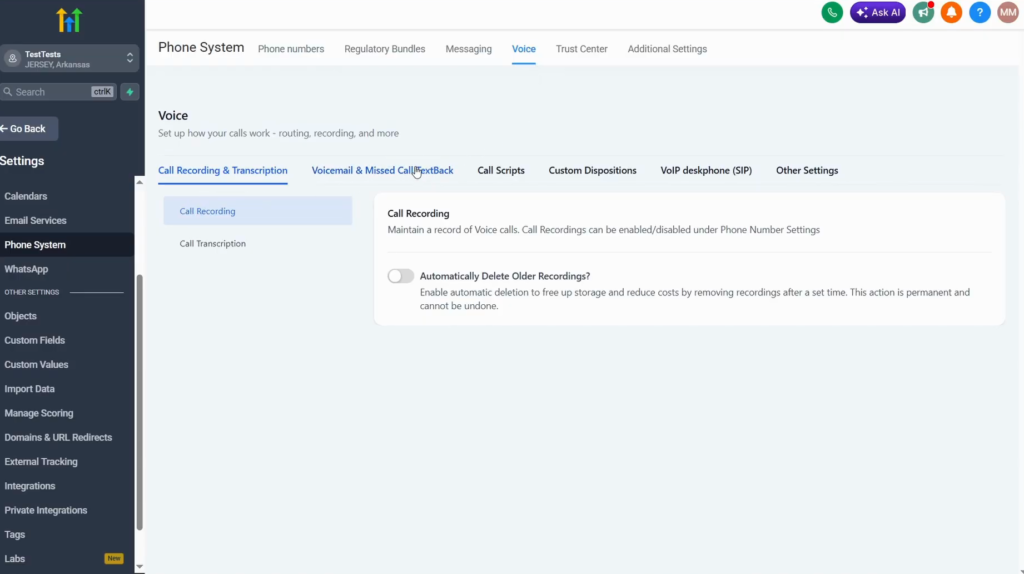
- In the sub-account, open Settings (bottom left).
- Scroll down to Phone System.
- Open the Voice tab at the top.
- Open the second option, Voicemail and Missed Call Text Back.
Step 2: Turn it on
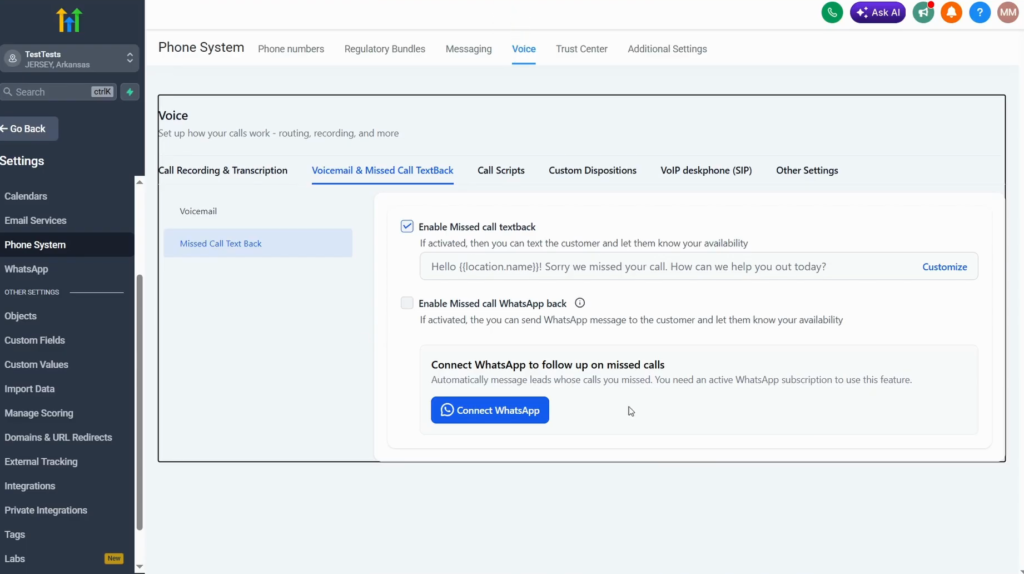
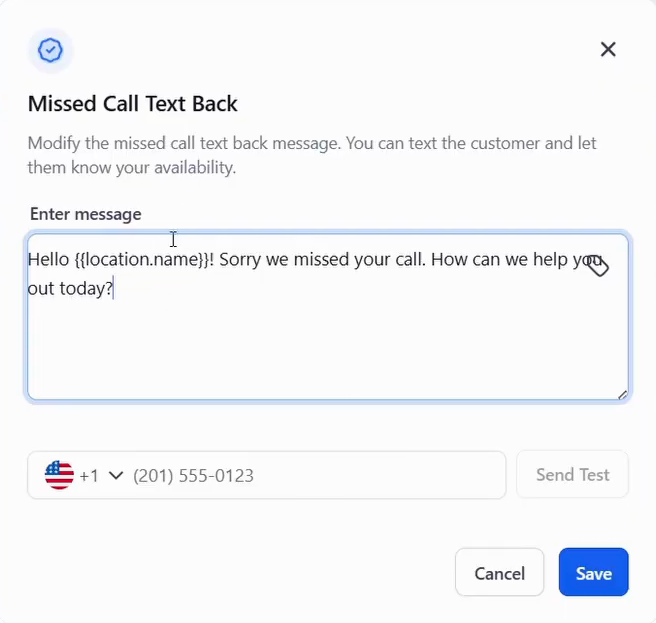
Missed call text back is usually enabled by default. If it is not, tick Enable Missed call textback, then click Customize.
Step 3: Write the message
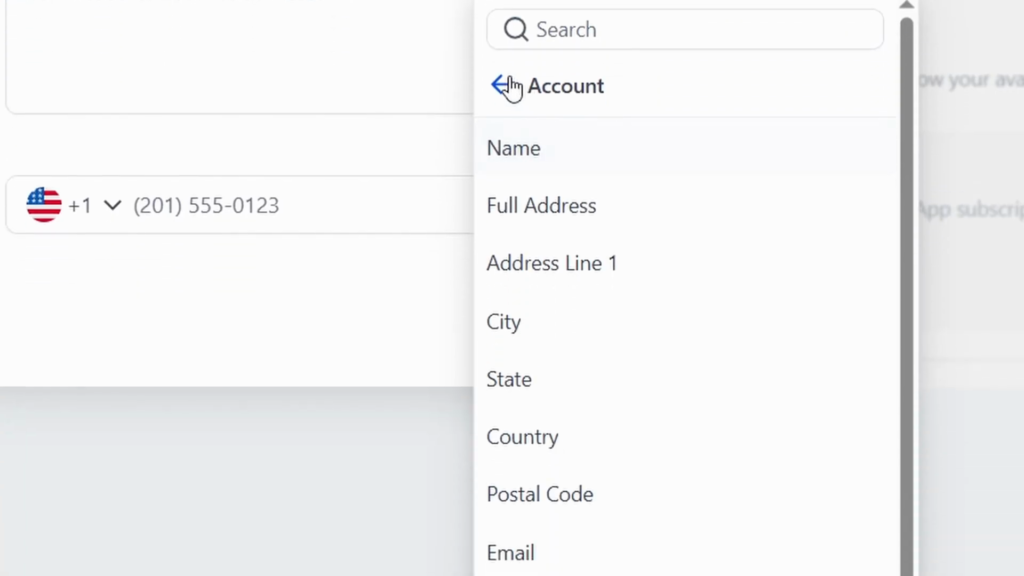
Write the text the caller receives. Placeholders (custom values) pull in your account details, such as the business name, address or email. {{location.name}} is your business name, so a clear message reads:
Hi, this is {{location.name}}. Sorry we missed your call. How can we help you today?
The message in the video starts with “Hello {{location.name}}!”, which greets the caller with your own business name. Put the name after “this is” instead.
Step 4: Test and save
Enter your own mobile number, click Send Test and check how the text arrives on your phone. Then click Save.
Missed call text back on WhatsApp
Below the SMS option you can connect WhatsApp and enable the same feature for WhatsApp, with the same steps. It needs an active WhatsApp subscription in GoHighLevel.
What I would add next
The text is the first touch, not the whole follow-up. I would add a workflow on top that tags the caller and puts them on the pipeline, so the lead does not depend on someone reading the inbox at the right moment.
Keep the message short and end with a question. A question gets a reply, and the reply starts the conversation in the GoHighLevel inbox.
Turn missed calls into replies
30 days free instead of 14, plus the free GHL Launch Vault: 20 bonuses including a client-ready sales kit.
FAQ
What is missed call text back in GoHighLevel?
An automatic text that goes to a caller when you do not answer, so the lead gets a reply within seconds.
Where is missed call text back in GoHighLevel?
Settings, Phone System, the Voice tab, then Voicemail and Missed Call Text Back.
Is missed call text back on by default?
Usually yes. If it is off, tick the box and click Customize to write your message.
Can I personalise the missed call text?
Yes. Placeholders (custom values) insert account details such as {{location.name}}, your business name.
Does missed call text back work with WhatsApp?
Yes. Connect WhatsApp in the same settings and enable missed call text back for it. It needs an active WhatsApp subscription.
How do I test missed call text back?
Enter your own number in the Customize dialog, click Send Test, check the message, then save.
Related next step
Put those callers on a board with pipelines and opportunities, or package the whole setup for clients as a GoHighLevel snapshot. Trial details are on the 30-day trial page. For a niche build from start to finish, see the CRM for architects setup. For a hotel or guest house, see the hotel CRM setup.