The Shopify free trial gives you 3 days completely free, then the option to keep building on a paid plan for $1/month for 3 months — so for about $3 you get roughly 90 days of full access to launch a real store before normal pricing starts. Here’s how to sign up the right way, set your store up, and avoid the catches.
What the Shopify “free trial” actually is
Let’s clear up the confusion first, because the name oversells it. Shopify doesn’t give you 90 days free. What you actually get is a 3-day free trial with no credit card, and then the option to continue on a paid plan for $1/month for your first 3 months. So it’s closer to “near-free” — about $3 total for roughly 90 days of full access — not a free ride. That’s still the cheapest way to build a real, sellable store, which is why it’s worth doing. The offer applies to the monthly Basic, Grow, and Advanced plans, and only to new Shopify accounts.
Quick answer: The Shopify free trial is 3 days free, then $1/month for 3 months on a paid plan (Basic, Grow, or Advanced) — about $3 for roughly 90 days of full access. New accounts only, and it renews at the normal plan price afterward.
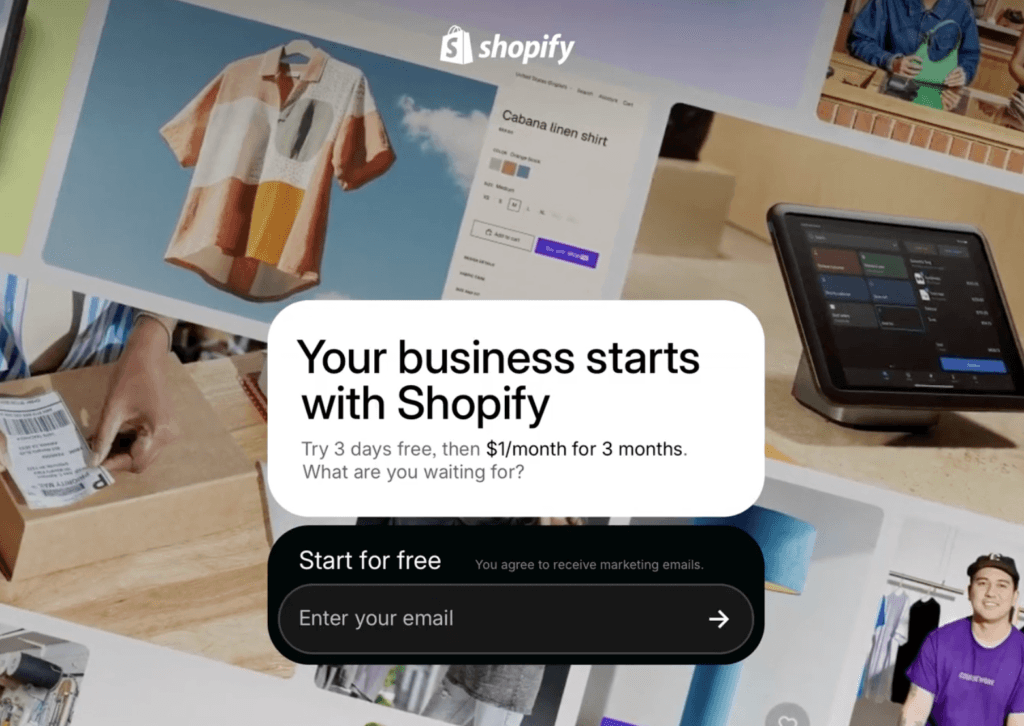
Try Shopify for $1/month
Start free for 3 days, then $1/month for 3 months while you build your store.
How to get the Shopify free trial, step by step
The whole flow takes a couple of minutes. Here it is, start to finish:
- Open the offer page through the link. This matters — going straight to shopify.com may show standard pricing instead of the $1 deal, so use the offer link.
- Enter your email and click “Start free trial,” then create a password.
- Answer or skip the setup questions. If it asks, pick “I’m just starting,” “online store,” and what you plan to sell — or “I’ll decide later.” You can change all of this afterward, so don’t overthink it.
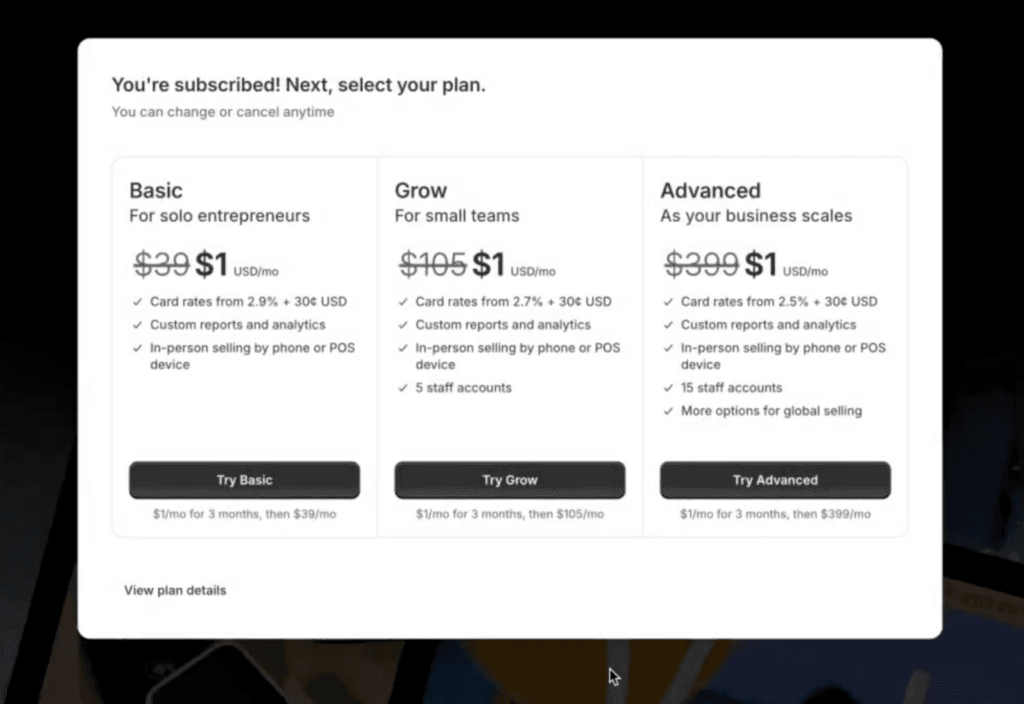
- Pick a plan. You have to choose one to unlock full features and to remove the store password later. Basic has everything a beginner needs to launch.
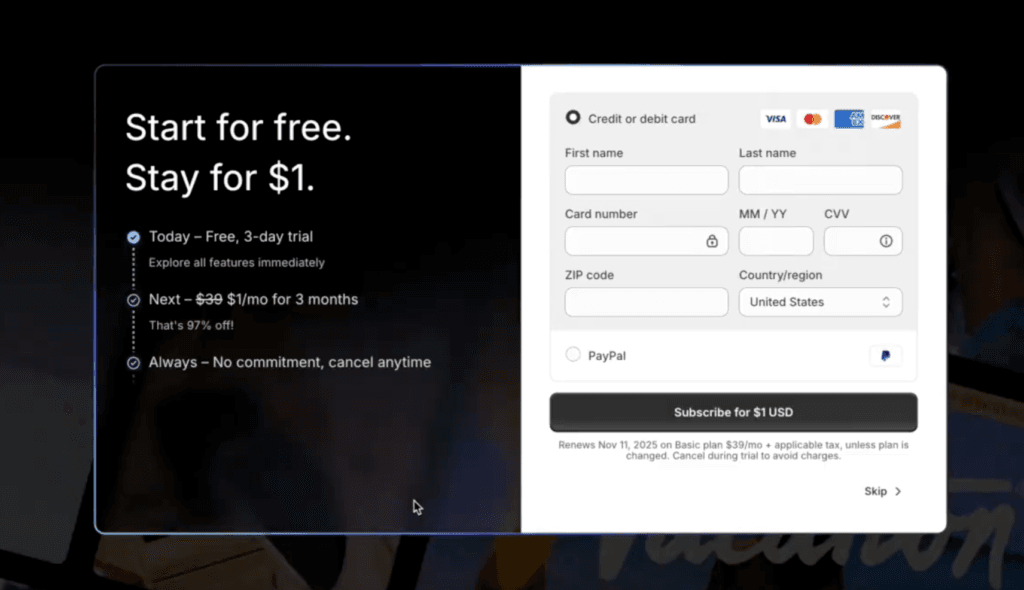
- Add your payment details to activate the offer. You get the 3-day free trial first, then it switches to $1/month for 3 months — you won’t pay full price.
Set up your store during the trial
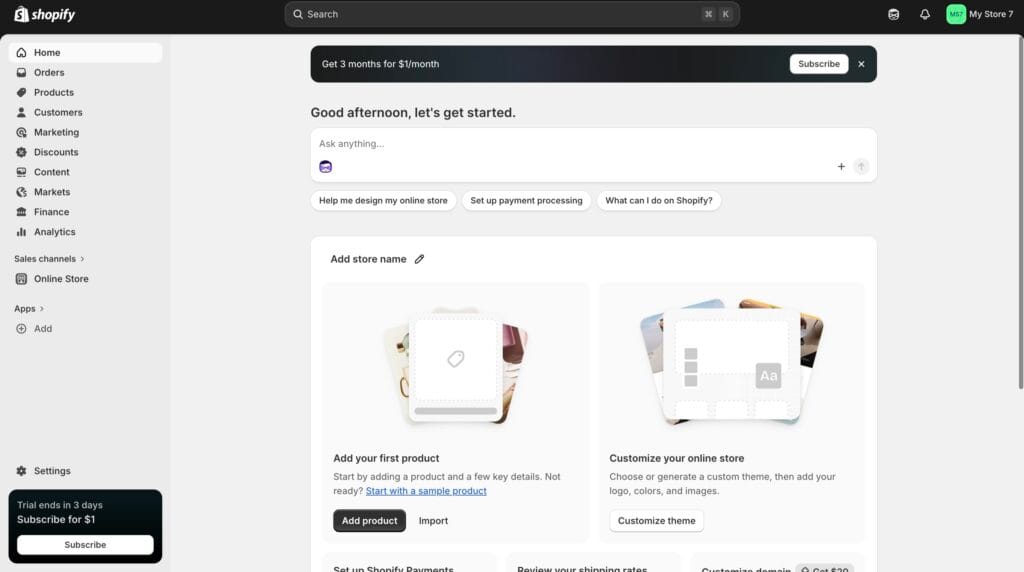
Once you’re in your dashboard, move fast while the clock’s cheap:
- Pick a clean theme and customize it with your colors and logo.
- Add your products with clear photos and simple descriptions. If you’re dropshipping, connect an app like DSers or AutoDS to import products quickly.
- Set up payments so you can accept cards and other common options.
- Remove the store password. New stores start with a storefront password or an inactive checkout, so go to your online store settings and remove the password to make your store live.
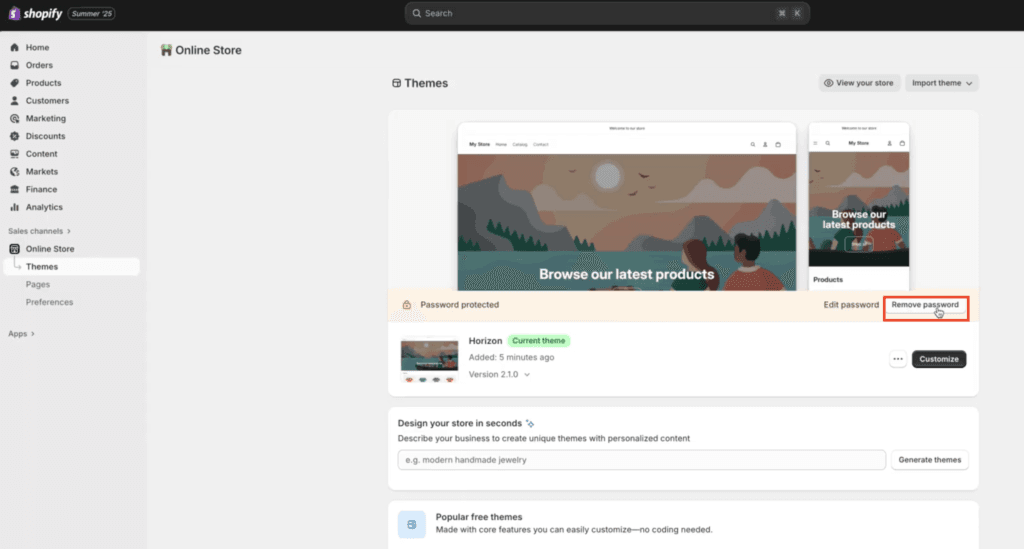
The mistake most people make is watching trial videos and never starting. If you sign up today, you can have a real store built this week.
Why the $1 offer might not show
If the discount isn’t appearing, it’s almost always one of these:
- You went direct. The $1 pricing is tied to the offer link — going straight to shopify.com may show standard pricing. Use the offer page.
- You’ve used Shopify before. The deal is for new accounts only, so sign up with an email that’s never been used with Shopify.
- Cached pricing. Clear your browser cache or open an incognito window so an old price doesn’t stick.
- Wrong billing cycle. The $1 deal is monthly-billing only — switch to annual and you lose it.
- Your region. It’s $1/month in the US, £1 in the UK, and €1 in the EU — same deal, local currency.
What happens after the 3 months
This is the part the hype skips. After your 3 months at $1, Shopify auto-renews at the normal plan price — Basic is about $39/month ($29 on annual billing), with Grow and Advanced higher. Nothing is free after that. So before the 3 months end, decide whether to keep the plan, downgrade, or cancel, and set a calendar reminder a few days before renewal so you’re not caught off guard. If your store is making money by then, the renewal is easy to justify; if not, you can cancel without losing your work. I break the tiers down in Shopify pricing plans, and the offer mechanics in detail in my Shopify 3 months for $1 deal post.
What I’d do if I were starting today
After building dozens of stores on Shopify for both my businesses and other people’s businesses, I think their free trial is perfectly structured — 3 months are the perfect time to get started, fully build your store, and start selling. If I were starting from scratch, I’d either go with the Basic plan, especially for something like a simple dropshipping store, or with Grow, if, for example, you have an already established business with staff and a customer base. Shopify’s trial gives you access to its full features for just $1/month, which cannot be said about the majority of other platforms, where the free trial plans usually have very limited features.
Is the Shopify free trial worth it?
Yes — if you actually want to build a store, the Shopify free trial is the cheapest, lowest-risk way to start. For about $3 you get roughly 90 days of full access to test products, set up your theme, and go live before paying real money. The only people it’s not for are those who just want to poke around the dashboard with no intention of building — and even then, the 3-day free part costs nothing. If you’re still deciding between platforms, compare first: I put Shopify head-to-head in Shopify vs Squarespace. Otherwise, start the trial and build.
Start your store on Shopify
3 days free, then $1/month for 3 months — the cheapest way to build and launch.
Frequently asked questions
Is the Shopify free trial really free?
The first 3 days are completely free with no credit card. After that, the offer continues on a paid plan at $1/month for 3 months — so it’s about $3 total for roughly 90 days of access, not a free-forever plan. It’s available to new Shopify accounts only.
Do I need a credit card for the Shopify free trial?
Not for the 3-day free trial. You only add payment details when you continue onto the $1/month-for-3-months part of the offer, which activates your plan and lets you remove the store password to go live.
How long is the Shopify free trial?
Three days are free, then you get 3 months at $1/month — roughly 90 days of near-free access in total. It’s not 90 days completely free; only the first 3 days cost nothing.
Why isn’t the $1 offer showing up?
Usually because you went to shopify.com directly instead of the offer link, you’ve used Shopify before (the deal is new-accounts-only, so use a fresh email), your browser cached an old price (clear the cache or use incognito), or you picked annual billing instead of monthly. The $1 deal only applies to monthly billing.
What happens after the 3 months?
Your plan auto-renews at the normal price — Basic is $39/month (about $29 on annual billing), with Grow and Advanced higher. Decide before the 3 months end whether to keep, downgrade, or cancel, and set a reminder so the renewal doesn’t surprise you. You won’t lose your store work if you cancel.
Related next step
Next: browse more Shopify guides, or check the current software deals.