Hostinger vs Bluehost is one of the first big decisions when you start a website — two of the most popular budget hosts, both promising to be the best. Pick wrong and it costs you speed, money, and headaches later. Here’s the honest breakdown: speed, ease of use, real pricing, WordPress, and which one actually fits you.
IN THIS GUIDE
The 30-second verdict
If you want the best value and speed, Hostinger is the winner — lower starting price, far more storage, and faster load times in my testing. If you want phone support, the classic cPanel, or the host WordPress officially recommends, Bluehost is the safer pick. Here’s the quick version:
| Hostinger | Bluehost | |
|---|---|---|
| Best for | Value + speed | WordPress beginners, phone support |
| Speed (my test) | ~1 second | ~2 seconds |
| Control panel | hPanel (modern) + AI tools | cPanel (classic) |
| Entry storage | 50GB NVMe (Business) | 10GB NVMe |
| Websites | Up to 50 (Business) | Up to 10 (entry) |
| Best term | 48 months (+ free months) | 36 months |
| WordPress | AI site tools | Officially recommended |
| Phone support | No (chat only) | Yes |
| Free domain + SSL | Yes (qualifying plans) | Yes (year one) |
Speed and performance
Let’s start with what everyone cares about: speed. I set up a fresh site on both platforms. Hostinger consistently loaded in around 1 second — genuinely fast. Bluehost wasn’t bad either, usually around 2 seconds. That one-second gap sounds small, but for SEO and bounce rate it adds up. Hostinger’s edge comes from its LiteSpeed servers, which are generally more efficient than the standard setup Bluehost uses on its shared plans. If raw speed is your priority, Hostinger takes this round.
Ease of use: hPanel vs cPanel
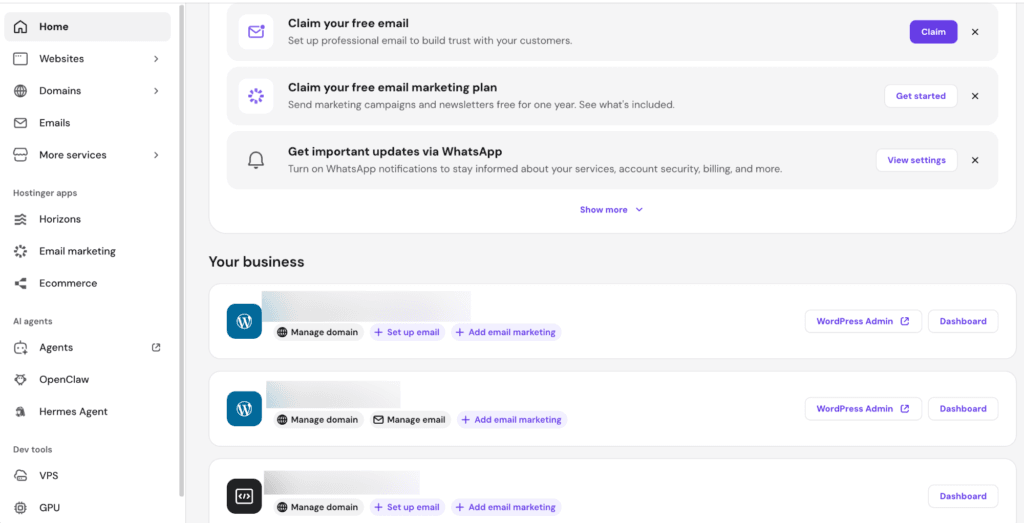
Speed isn’t everything, though — the panel you’ll stare at every day matters too. Bluehost uses the traditional cPanel. If you’re an old-school user it feels familiar, and Bluehost pairs it with a clean, beginner-friendly WordPress setup. Hostinger uses its own hPanel: modern, sleek, and genuinely easier to navigate than cPanel, especially if you’re a total beginner. Hostinger is also moving fast on AI, with built-in tools that spin up a website in minutes. If you want a modern interface, Hostinger wins; if you want the classic cPanel you already know, Bluehost has it.
Get the Hostinger deal
Launch WordPress on fast budget hosting with a free domain.
Pricing, storage and value
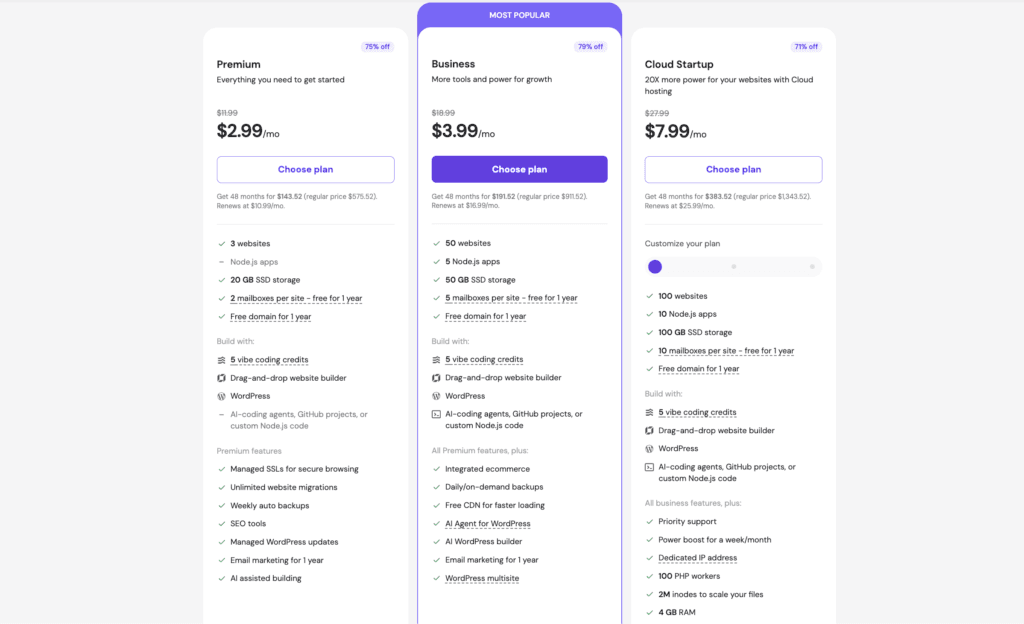
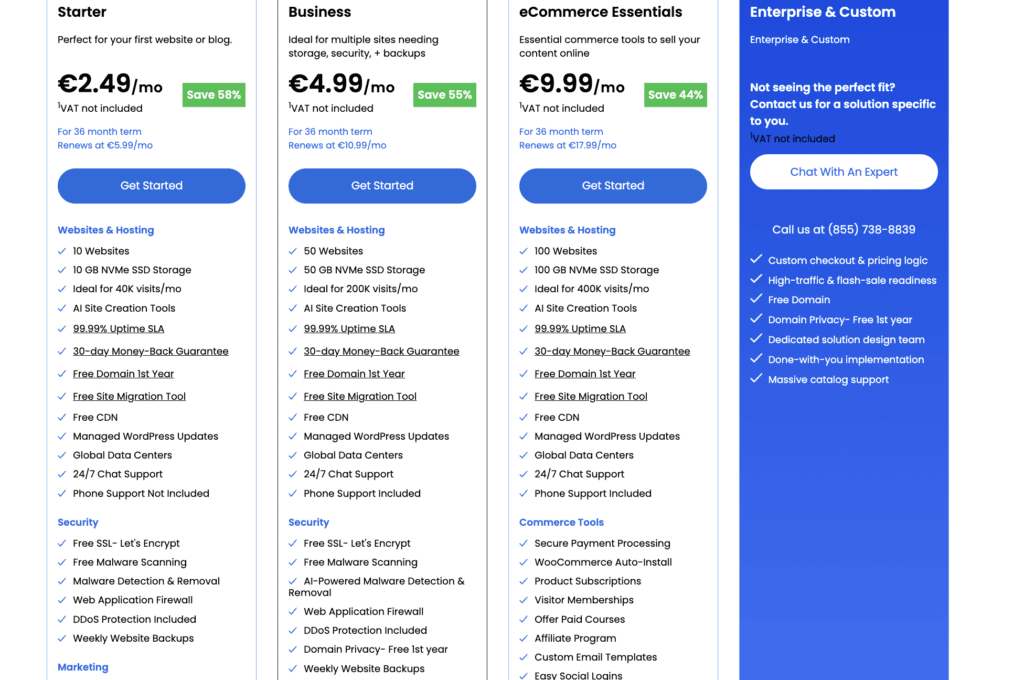
Now the part that decides it for most people: value. The homepage sticker price doesn’t tell the full story, so look at what you actually get. Hostinger’s plans start lower than Bluehost’s — often around half the monthly intro price — and they come with far more room. Hostinger’s Business plan gives you 50GB of NVMe storage and up to 50 websites; Bluehost’s entry plan gives you 10GB and up to 10 websites. That’s five times the storage for less money. Hostinger’s best pricing is on a 48-month term and often includes a few free months on top, while Bluehost’s cheapest rate is on a 36-month term.
One caveat for both: the intro price isn’t the renewal price — each renews higher once the first term ends. So check the current renewal rate before you commit, and use the link to see today’s deal rather than the full homepage price.
WordPress hosting
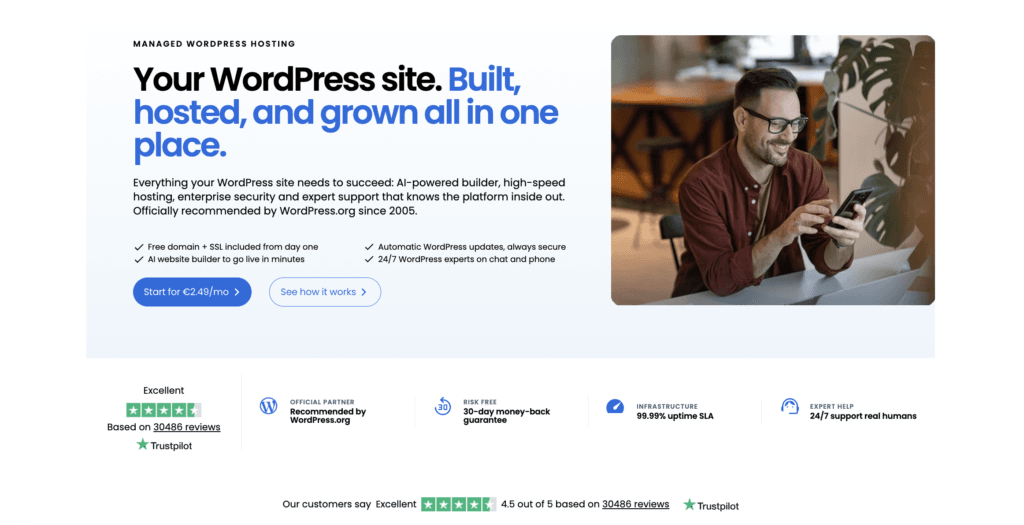
If WordPress is your main goal, this is closer than the value gap suggests. Bluehost has been the go-to WordPress recommendation for years — it’s officially recommended by WordPress.org, and the integration is seamless and guided. That endorsement is a real reassurance for beginners who want to know they picked a safe option.
Get the Bluehost deal
Beginner-friendly WordPress hosting, with a free domain for year one.
Hostinger counters with speed and automation: AI tools like an AI website builder and automatic site creation that set up a WordPress site in minutes. So the classic, safe choice is Bluehost; the faster, more modern choice is Hostinger. Both run WordPress well — it comes down to whether you value the official badge or the AI speed.
Where Bluehost still wins
Hostinger wins most rounds, but Bluehost has genuine advantages worth weighing. It includes phone support — even on its business plans — which Hostinger doesn’t; if you want to talk to a human when something breaks, that’s a real plus. Its cPanel is the industry standard, so almost any tutorial you find online will match what you see on screen. And the official WordPress.org recommendation gives beginners peace of mind. If those matter more to you than squeezing out the lowest price, Bluehost is a solid, reliable choice.
Which one I’d actually pick
After using both Hostinger and Bluehost, I must say I like both platforms. Hostinger is on the cheaper side and has more additional features and options, such as their AI website builder and AI error indentifier / troubleshooter, even outside of WordPress. Hostinger has a custom hPanel, which could be easier to navigate, especially for beginners, but if you prefer cPanel, go with Bluehost.
So which one would I recommend? If you want a professional and fast website built solely on WordPress and don’t mind the higher pricing, go with Bluehost, especially if you already have an established business. If you are just starting out, go with Hostinger. It’s easier to navigate, and if you need to scale later on, you can upgrade to one of their higher-tier plans.
Hostinger vs Bluehost: the verdict
So who wins the Hostinger vs Bluehost battle? For most people — anyone who wants the best value, more storage, and faster speeds for less money — Hostinger is the clear pick. It’s hard to argue with five times the storage at a lower price, plus the speed edge. But if you specifically want phone support, the familiar cPanel, or the host WordPress officially recommends, Bluehost is still a very solid option. Whichever you choose, don’t pay full price by going to the homepage — use the link to lock in the current discount, since these offers change. Still deciding what to build on first? My Shopify vs WordPress comparison covers the platform side of that question.
Get the best Hostinger price
More storage, faster speeds, lower price — grab the current deal before it changes.
Frequently asked questions
Is Hostinger or Bluehost better?
For most people Hostinger is the better value — lower starting price, more storage, and faster speeds in testing. Bluehost is the better pick if you specifically want phone support, the classic cPanel, or the host officially recommended by WordPress.org.
Is Hostinger faster than Bluehost?
In my testing, a fresh Hostinger site loaded in about 1 second versus about 2 seconds on Bluehost. Hostinger credits its LiteSpeed servers, which are generally more efficient than the standard setup Bluehost uses on its shared plans.
Which is cheaper, Hostinger or Bluehost?
Hostinger generally starts lower and gives far more storage and websites for the price — its Business plan offers 50GB and up to 50 sites versus Bluehost’s 10GB and up to 10 sites on the entry plan. Both renew at higher rates than the intro price, so check the current deal through the link before committing.
Which is better for WordPress, Hostinger or Bluehost?
Bluehost is officially recommended by WordPress.org and offers a seamless, guided setup, which reassures beginners. Hostinger counters with AI tools that build a WordPress site in minutes. Both run WordPress well — it comes down to the official badge versus the faster, more modern workflow.
Do Hostinger and Bluehost include a free domain?
Both include a free domain on qualifying annual or longer plans, along with a free SSL certificate. Confirm the free domain at checkout, as it depends on the plan and term you choose.
Related next step
Next: browse more hosting guides, or check the current software deals.