
Shopify vs WordPress comes down to one fundamental tradeoff: Shopify is an all-in-one ecommerce platform where hosting, security, checkout, and store tools are included from the start, while WordPress with WooCommerce is a build-it-yourself setup that gives you more control but requires you to handle hosting, security, plugins, and updates yourself. Shopify wins for most new stores. WordPress wins for content-heavy sites, unusual product types, or businesses that want full ownership.
Quick answer: Choose Shopify if you want to focus on selling products without managing servers, plugins, or updates. Choose WordPress + WooCommerce if you need full customization, deep content integration, or want complete ownership of your store.
IN THIS GUIDE
Shopify vs WordPress: the 30-second comparison
Both Shopify and WordPress are powerful platforms, but they are built very differently. Shopify is a complete all-in-one ecommerce platform — hosting, security, checkout, and store management are all included. WordPress is a content management system that becomes an ecommerce solution when you install WooCommerce. Comparing Shopify vs WordPress is really comparing a managed solution against a build-it-yourself setup.
| Aspect | Shopify | WordPress + WooCommerce |
|---|---|---|
| Type | All-in-one platform | CMS + ecommerce plugin |
| Monthly cost | From $39/month (Basic) | $5–30/month hosting only |
| Setup time | 1–2 hours | 4–12 hours |
| Technical skill | Minimal | Moderate |
| Hosting | Included | You manage it |
| Customization | Themes and apps | Unlimited (with development) |
| SEO control | Built-in tools, less granular | Stronger, more granular control |
| Support | 24/7 chat, email, phone | Community forums and paid developers |
Try Shopify for $1/month
Start on Basic, test your store, and upgrade later when the math makes sense.
Ease of use and setup
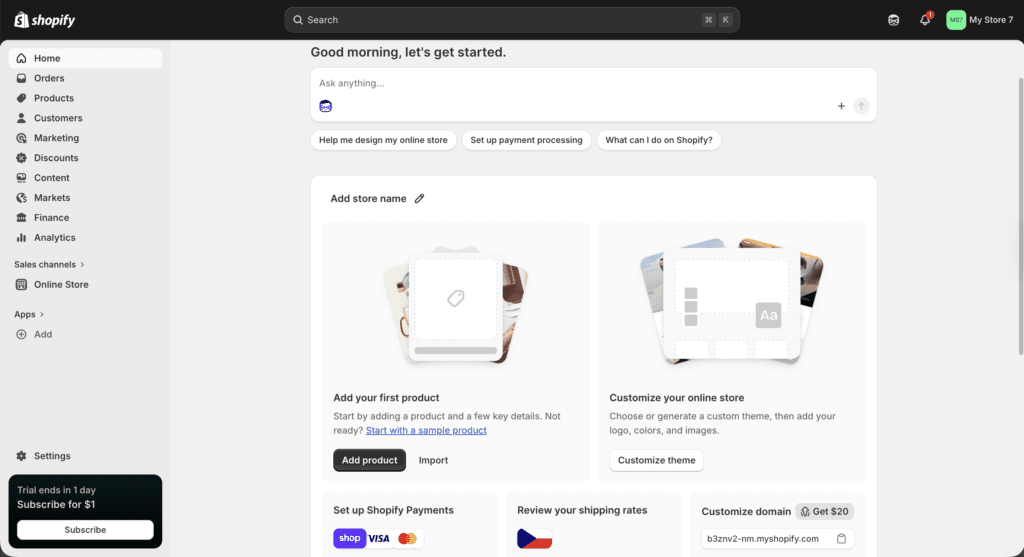
Shopify is built for ecommerce from the ground up. You sign up, choose a theme, add your products, set up payments, and you are ready to sell. The whole process takes 1–2 hours and does not require any technical skills. The dashboard is designed for people who want to start selling, not configure servers.
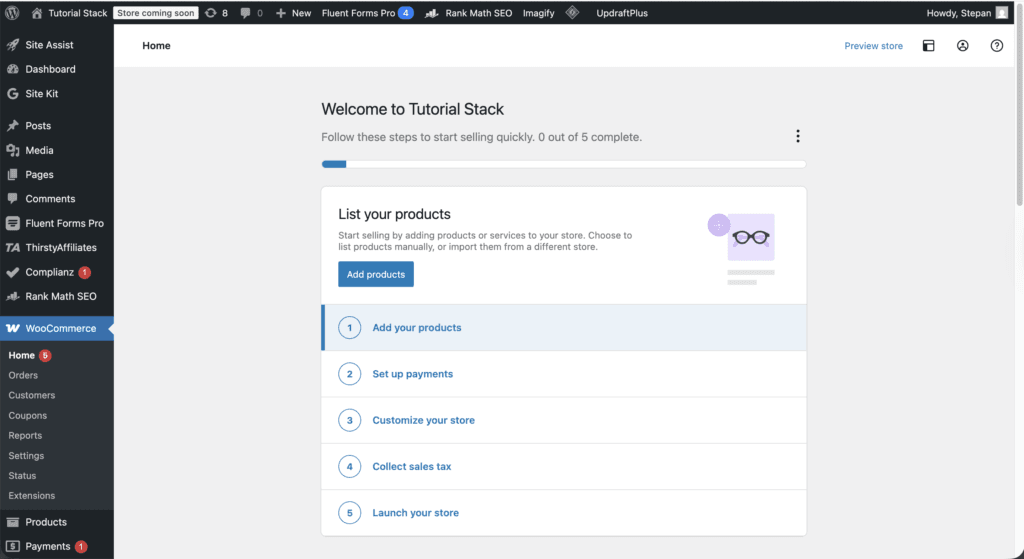
WordPress with WooCommerce can build a powerful ecommerce store, but it takes more time and technical knowledge. You need to buy hosting, install WordPress, install WooCommerce, configure plugins for SEO, caching, security, and backups, and handle ongoing updates yourself unless you pay for managed hosting. Realistic timeline: 4–12 hours before you have added a single product, depending on your familiarity with WordPress.
The bigger difference shows up over time. Shopify mostly stays within its own ecosystem. WordPress regularly throws plugin conflicts, theme update breakages, and security warnings at you. For ease of use, Shopify clearly wins — though WordPress offers more flexibility in return.
Customization and flexibility
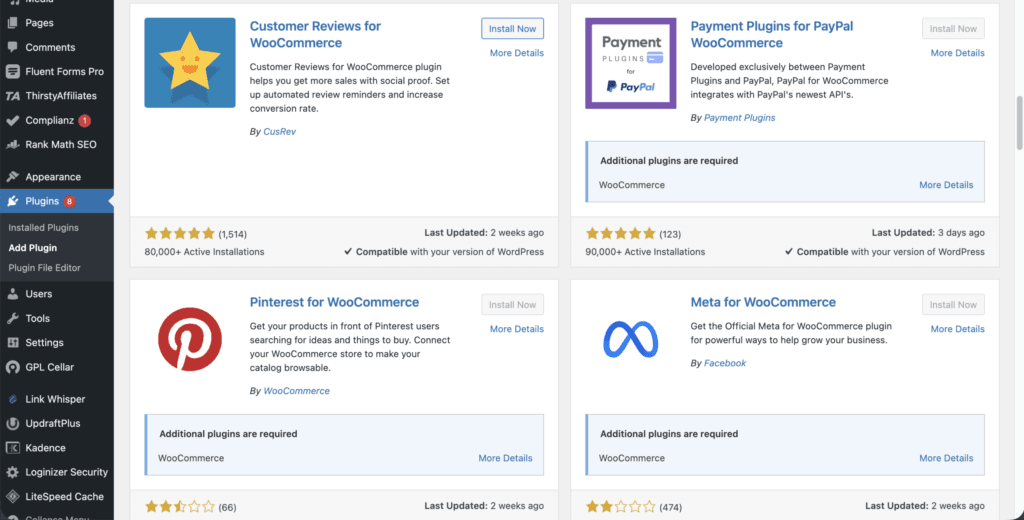
With WordPress you can build almost anything. Tens of thousands of themes and plugins let you change every part of your website. If you need a very specific ecommerce setup — custom product types, complex pricing logic, unusual checkout flows — WooCommerce plus custom code or premium plugins can handle it.
Shopify offers professional themes and an app store with thousands of features, but it does not give you the same deep control. There are walls you will occasionally hit — usually around checkout customization on lower plans or specific data use cases. For most stores this never matters. For specific edge cases it can be a hard blocker.
For the vast majority of ecommerce stores, Shopify’s built-in tools and apps are more than enough. The flexibility WordPress offers is genuinely valuable, but most stores never use it. Choosing WordPress for the option to customize later usually means paying the maintenance cost for years without ever exercising that option.
Cost over 2 years
Shopify has predictable plan pricing that includes hosting, security, and 24/7 support. WordPress is free software, but you pay for hosting, a domain, premium themes, and plugins. WooCommerce is free too, but several extensions cost extra. The “WordPress is free” framing is misleading once you add up realistic running costs. For a full breakdown of what each Shopify plan includes, see the Shopify pricing plans guide.
Shopify total cost (2 years, Basic plan)
- Subscription: $39/month × 24 = $936
- Theme: free (Dawn, Sense, Studio) or $180–380 one-time for premium
- Apps: $0–150/month depending on store needs (avg ~$50/month = $1,200 over 2 years)
- Domain: $10–15/year = $20–30 over 2 years
- Maintenance: $0 — Shopify handles all updates
- Total: roughly $2,100–2,500 over 2 years
WordPress + WooCommerce total cost (2 years, realistic)
- Hosting: ~$15/month average × 24 = $360
- Premium theme: $59–99 one-time
- Premium plugins (security, backup, page builder, extensions): $200–600/year = $400–1,200 over 2 years
- Domain: $20–30 over 2 years
- Maintenance and troubleshooting: 4–8 hours/month — real time cost that grows with your store
- Total: $850–2,000 in cash plus 100–200 hours of your time over 2 years
WordPress can be cheaper upfront, but Shopify gives you predictable pricing and far less hassle. If your time is worth $50/hour, WordPress is more expensive once you factor in maintenance. If you are a developer or have technical support available, WordPress can make financial sense. The honest math depends entirely on what you value your hours at.
Scalability and performance
Shopify is designed to handle large stores with high traffic without you needing to think about infrastructure. The platform scales through its plan tiers — Basic handles most stores up to around $500K/year, Grow handles up to ~$2M, and Advanced covers most things beyond that. Infrastructure scaling is automatic.
WordPress can also scale, but you need strong hosting and technical management to keep things running smoothly as traffic grows. You will likely need to move from shared hosting to a managed WordPress host like WP Engine or Kinsta, implement object caching, optimize database queries, and possibly hire a developer for performance tuning. None of this is impossible, but it is another set of problems to solve at exactly the moment your business is busiest.
For most stores, scaling problems on Shopify are solved by upgrading your plan. Scaling problems on WordPress require technical decisions and often outside help.
SEO and content marketing
WordPress is often considered stronger for SEO because of plugins like Rank Math and Yoast, plus its powerful blogging features and granular control over technical SEO. If content marketing is a big part of your ecommerce strategy, WordPress has a meaningful edge.
Shopify has built-in SEO tools and you can add apps for further optimization, but you will not get quite the same level of control. Things like custom URL structures, schema customization, and content silo organization are easier on WordPress. For pure ecommerce SEO — product pages, category pages, shopping queries — Shopify performs comparably. The difference shows up most on content-heavy sites.
If your business depends heavily on ranking for content keywords alongside product pages, WordPress is likely the better SEO foundation. If you are focused primarily on product pages and shopping queries, both platforms work fine.
Support and reliability
Support is one of the bigger practical differences between the two platforms. With Shopify you get 24/7 support through chat, email, or phone — when something breaks, you have someone to call. With WordPress there is no official support; you have community forums, documentation, and the option to hire developers when you need help.
Shopify gives you peace of mind. WordPress gives you freedom but leaves support entirely in your hands. If you are a solo non-technical founder, the support gap matters most at the worst possible moment — something breaking at 11pm on a Saturday during peak sales.
What I found testing both platforms
I’ve built stores on both platforms over the past two years. The biggest difference in the daily usage of both platforms was definitely the speed of the actual store and support. While WordPress generally gives you more customization options and plugins, many of these make the website slower and therefore decrease the conversion rate. As for Shopify, their apps usually tend to be better optimized for actual ecommerce performance, but the real downside is that they tend to be pricier. The live support for Shopify is top-tier, while on WordPress, you’d be lucky to get some help from your web hosting provider.
Test Shopify before committing to a platform
Build the store first, compare the dashboard, and decide before paying full price. The current offer gives you 3 months to test with real products.
Which one should you choose?
Choose Shopify if you want something simple, reliable, and fast to set up. You are a beginner, small business owner, or entrepreneur who wants to focus on selling without worrying about technical details. You do not have a developer on call. Your store is the primary site, not a content hub with a store attached. You expect to scale and want infrastructure handled for you. This applies to around 80% of new ecommerce stores.
Choose WordPress + WooCommerce if you need total customization, advanced SEO control, and you are comfortable with a steeper learning curve. You already have a WordPress site or a content-heavy strategy. You have technical confidence or a developer available. Your products require unusual setup — digital licensing, B2B quotes, complex variations. You strongly value full ownership and data control, even at the cost of more maintenance.
If you are still unsure, the practical answer is to spend $3 testing Shopify — the current $1/month deal lasts 3 months. If after that Shopify feels limiting, switching to WordPress is doable. If it feels like the right home, you have already started building.
Frequently asked questions
Is Shopify better than WordPress for SEO?
Both can rank well in Google. WordPress has a slight edge for content-heavy SEO strategies because of more granular technical SEO control and plugins like Rank Math and Yoast. For pure ecommerce SEO — product pages, category pages, shopping queries — Shopify performs comparably. The platform that ranks better depends more on content quality and link building than the platform itself.
Can I migrate from Shopify to WordPress later, or vice versa?
Yes, but it is a real project. Migration tools handle product, customer, and order data. The harder part is rebuilding theme customizations, redirecting URLs to maintain SEO, and replicating apps or integrations. Realistic timeline: 2 to 4 weeks for a small store, 2 to 3 months for a larger one.
Is WooCommerce free?
The WooCommerce plugin itself is free, but running an actual ecommerce store on WooCommerce is not. You need hosting ($5 to $30 per month), a quality theme, and several premium plugins to match Shopify’s out-of-the-box features. Realistic minimum cash cost for a functional WooCommerce store: $300 to $500 per year, plus your time.
Should I use Shopify or WordPress for dropshipping?
Shopify is the stronger choice for dropshipping. The dropshipping app ecosystem — DSers, Spocket, AutoDS — is built primarily for Shopify, integrations work out of the box, and order processing handles fulfillment notifications cleanly. WooCommerce dropshipping works but requires more manual integration setup.
Which is better for a content site that also sells products?
WordPress wins for content-first hybrid sites. If your blog or content brings most of the traffic and the store is secondary, WordPress with WooCommerce is the cleaner setup. Shopify has improved its blog functionality but still treats content as a secondary feature.
Related next step
Next: read the complete Shopify guide, compare Shopify vs Squarespace, browse the WordPress guides, or check the current software deals.