To sell websites with GoHighLevel, build each client’s site in its own sub-account, connect the client’s domain, and bill a monthly hosting and care plan from GoHighLevel’s payments. The site’s forms feed the client’s CRM, which is what makes the package worth more than a plain website. This guide covers the build, the domain, the billing, the hand-over and where to find the first clients. Start on our 30-day GoHighLevel trial (14 days is standard).
GoHighLevel deal
Extended 30-day free trial (the standard is 14 days), plus the free GHL Launch Vault (20 bonuses, including a client-ready sales kit).
Step 1: Create a sub-account for the client
In the agency view, open Sub-accounts and click Create sub-account (top right), for example for a landscaping company. Start blank or from a template or snapshot (search the niche). Each client gets its own sub-account, so websites, contacts and settings stay separate.
Step 2: Build the website
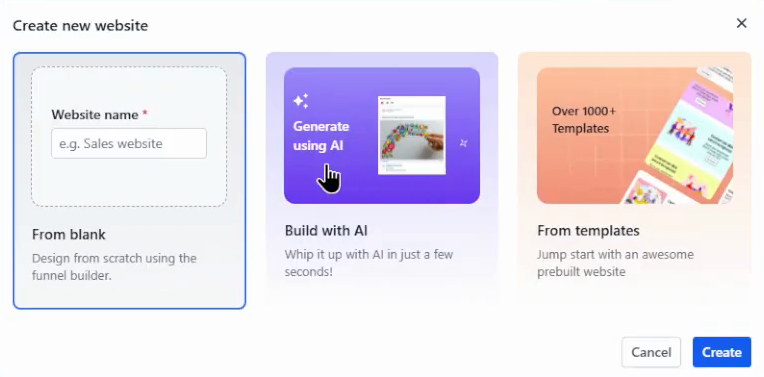
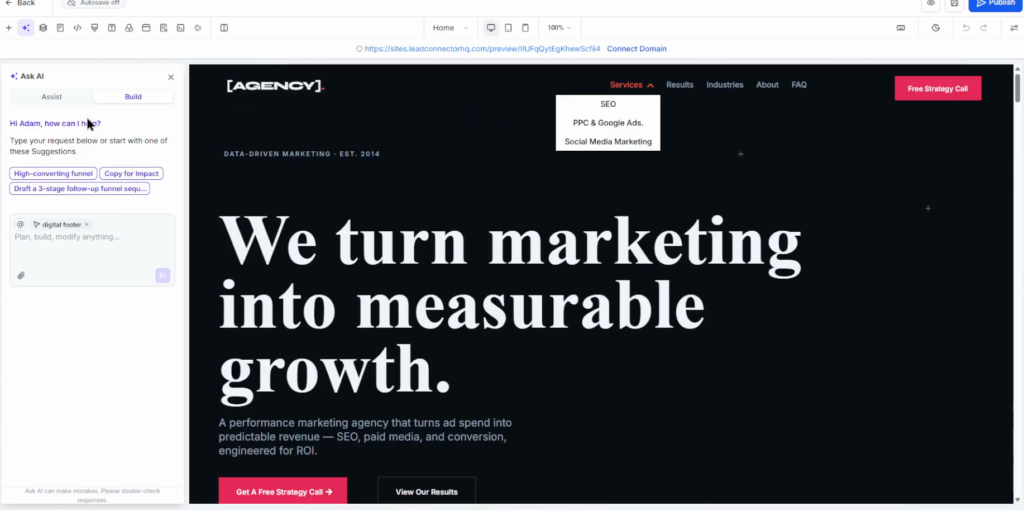
Open Sites, then Websites at the top, and click New website. Start blank, from a template, or with Build with AI. AI Studio can also build a website from a prompt: in the video it produced a home care services site whose form already added contacts to the CRM. Preview it on desktop, tablet and phone.
Then customise it: the homepage headline and the descriptions. The editor has an AI assistant that knows what you selected (a column, a headline) and changes it on request, for example the fonts.
Step 3: Make every form feed the CRM
Add a “Request a free quote” button linked to the contact section, and make sure the form adds submissions to the CRM. If the template has no form, add a section with a form element; forms are built under Sites, Forms, with templates to start from. Preview before publishing.
Step 4: Connect the client’s domain
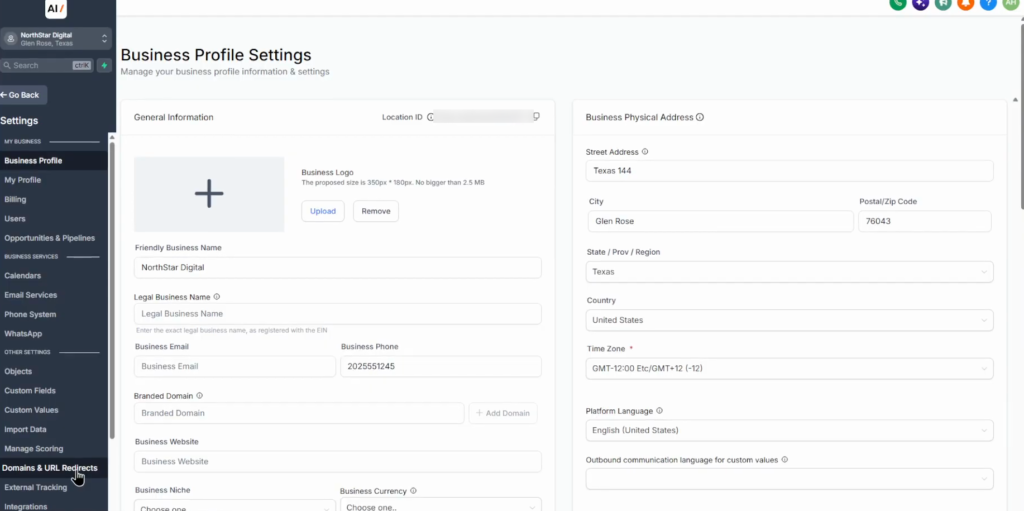
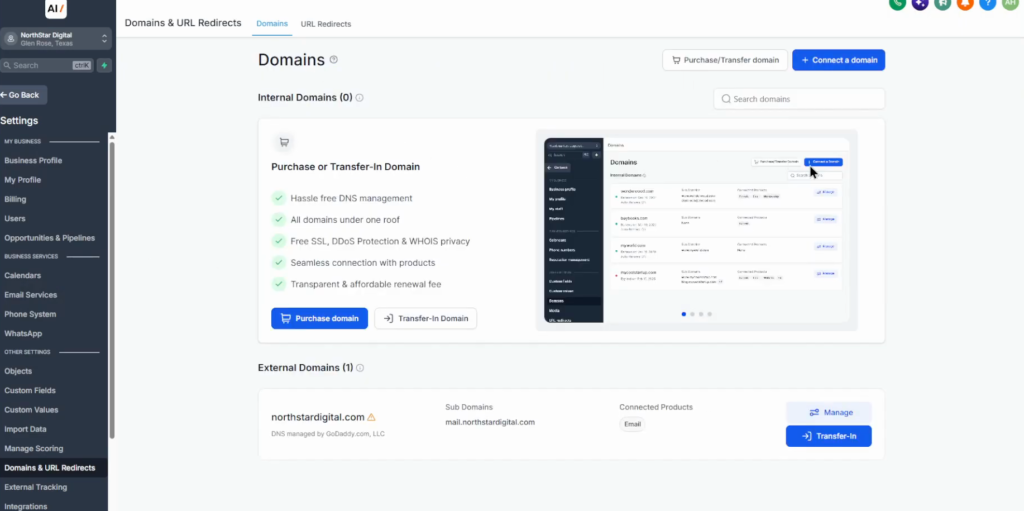
The client’s business details live in the sub-account’s Settings, Business Profile. In the same Settings, open Domains & URL Redirects and click Connect domain. Choose what to connect (an AI Studio site, or a website or funnel from Sites), enter the domain and click Continue. GoHighLevel shows the DNS records.
- Add or update the records at the client’s domain provider (Cloudflare, Namecheap, GoDaddy and others): the A record and the CNAME, exactly as shown.
- Back in GoHighLevel, click Verify. The “Watch a help video” link explains it in about three minutes.
- Connect the domain to the website, save and publish, then open the domain in a new tab to confirm.
DNS can take one to two days to propagate, so tell the client in advance.
Step 5: Bill monthly hosting and care
Open Payments, Products and create a product such as Website hosting & care, with a description like “monthly website hosting, routine maintenance and basic content updates”. Set the price (the video uses about $79 to $80) as recurring monthly, save, and send the client the payment link.
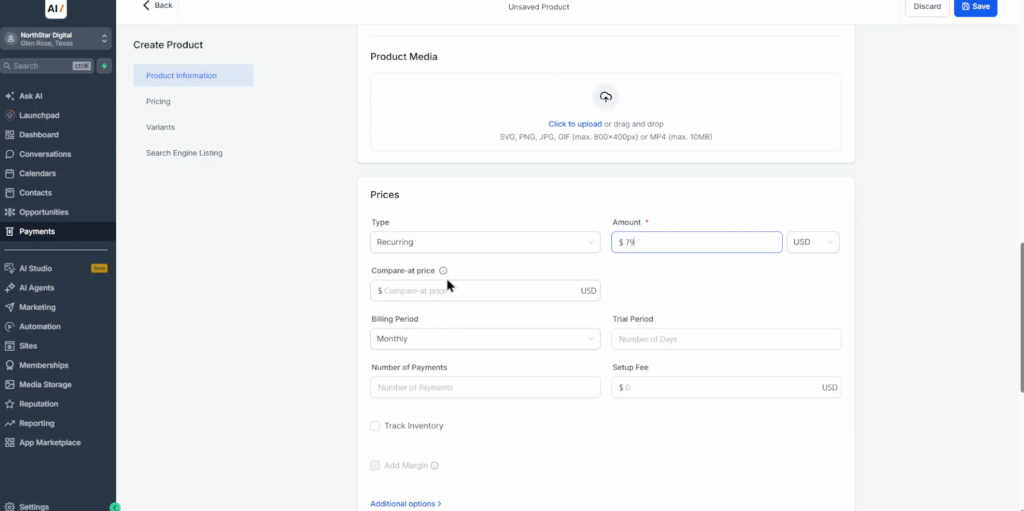
For real agency billing, keep recurring payments under the agency’s own billing account rather than the client’s sub-account, so the agency is the one charging its customers.
Step 6: Hand over the account
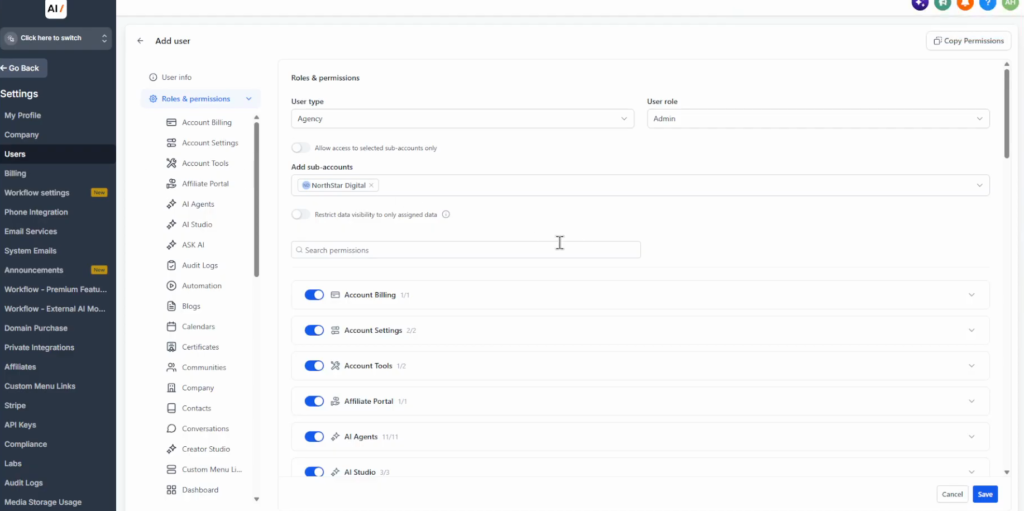
Two options. Transfer the sub-account: agency view, Sub-accounts, the three-dot menu, Manage client, Actions (top right), Transfer sub-account. Or keep it and add the client as a user: Settings, Team, Add user, their email, the Admin role with access to their sub-account, Save. They get an email invitation.
Switch off what they do not need, for example leave only Sites, Conversations, Funnels and Forms, so they are not overwhelmed. Test everything before the hand-over.
How to find website clients
The second video covers getting the first clients:
- Package a snapshot as a “business in a box”. Build the setup once, save it as a snapshot and share it with a link (see the snapshots guide).
- Niche communities. Facebook groups for roofers or landscapers, plus X, Reddit or Discord: offer solutions such as missed call text back or AI chat and voice agents, without spamming.
- Google Maps. Local businesses with low ratings, for example three stars: show them what they miss, such as automated review requests, and contact them.
- Paid ads. Facebook, Instagram, TikTok or Google Ads to a page such as a quiz funnel that triggers an instant automated reply, so prospects experience the system. Free trials let them try first.
How I would package it
The website opens the door; the monthly plan is the business. A site whose form lands in a CRM, with missed call text back and review requests on top, is easier to keep paying for than hosting alone, so I would sell the care plan as the system around the site.
Put the client on your own branded login before the first hand-over. GoHighLevel white label covers the domain and branding, so the client logs in under your name.
Sell your first website on a 30-day trial
30 days free instead of 14, plus the free GHL Launch Vault: 20 bonuses including a client-ready sales kit.
FAQ
Can you sell websites with GoHighLevel?
Yes. Build each site in the client’s sub-account, connect their domain, and bill monthly hosting and care as a recurring product.
Can GoHighLevel host a website on the client’s own domain?
Yes. Connect it under Settings, Domains & URL Redirects and add the A and CNAME records at the domain provider. DNS can take one to two days.
How do I charge clients monthly for a website?
Create a recurring monthly product, such as Website hosting & care, under Payments, Products, and send the payment link. For agency billing, keep the subscription under your agency’s billing account.
Can GoHighLevel build a website with AI?
Yes. New website offers Build with AI, and AI Studio builds a site from a prompt. The editor’s AI assistant changes the selected section on request.
How do I give the client access to their website?
Transfer the sub-account, or add the client as a user with access to their sub-account and only the tools they need.
How do I find clients for GoHighLevel websites?
Niche communities, local businesses with low Google ratings, and paid ads to a funnel that shows the automation working.
Related next step
Add Voice AI or Conversation AI to the package, and set up client onboarding with GoHighLevel for agencies. Trial details are on the 30-day trial page.