A hotel CRM should catch every booking inquiry, answer the guest straight away and tell your reservation team what to check. In GoHighLevel that takes one booking inquiry form and one workflow: a confirmation email, a confirmation SMS and an internal notification with the dates, guests and room type. The same setup works for a hotel or a guest house. Build it on our 30-day GoHighLevel trial (14 days is standard).
GoHighLevel deal
Extended 30-day free trial (the standard is 14 days), plus the free GHL Launch Vault (20 bonuses, including a client-ready sales kit).
What the setup does
- A guest fills in the booking inquiry form on your site.
- GoHighLevel creates the contact.
- The guest gets an email and an SMS saying the inquiry arrived and availability is being checked.
- The reservation team gets a notification with the guest name, check-in, check-out, number of guests and room type.
Step 1: Create the booking inquiry form
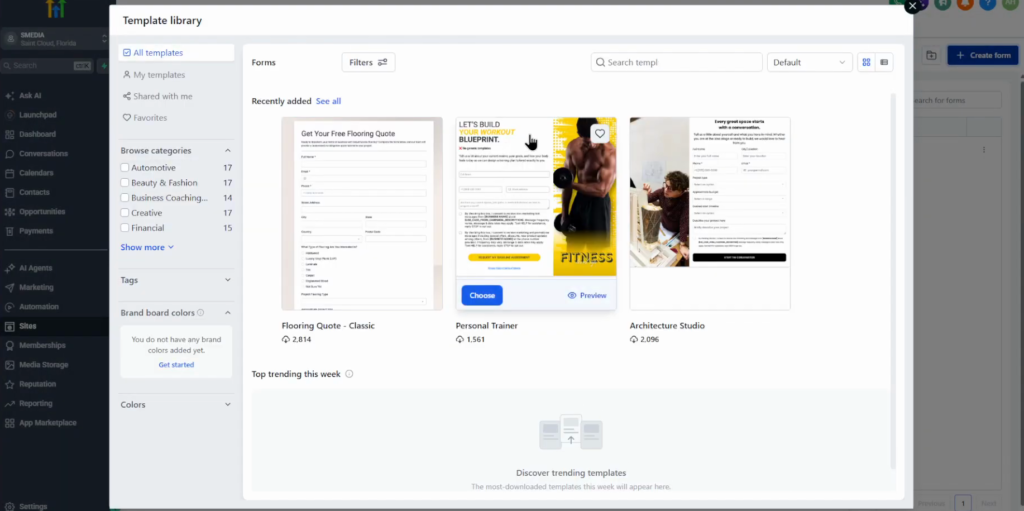
Open Sites, Forms and click Create form. Start from scratch or from a template: search “booking” for options such as a vacation property management template, then change the images and fields.
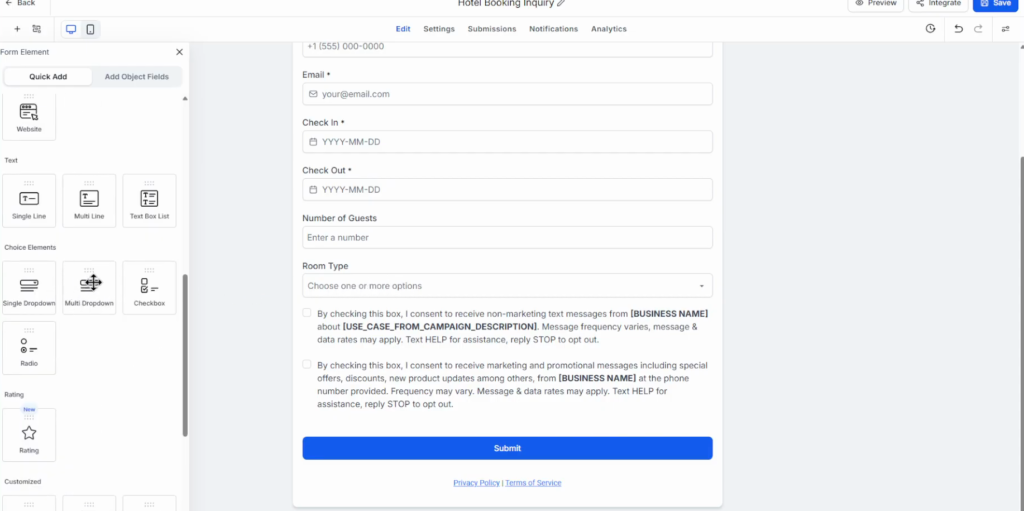
Drag the fields in from the left panel. The video uses:
| Field | Element | Required |
|---|---|---|
| First name, last name | Default fields | First name yes, last name no |
| Phone, email | Default fields | Yes |
| Check-in, check-out | Date picker | Yes |
| Number of guests | Number | Yes |
| Room type | Multi-dropdown: Standard, Deluxe, Family | Yes |
| Message | Text field | No |
Keep the form short. Change the submit button text to “Check availability” and mark the required fields in each field’s settings. An HTML element is there if you need custom code. Save (top right).
Step 2: Preview and test the form
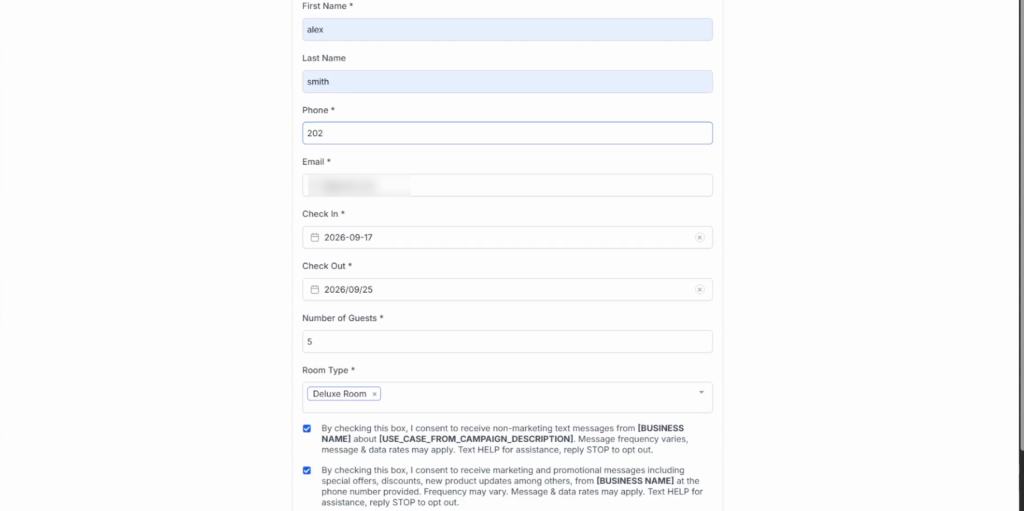
Preview the form and submit it with sample data. Bot protection is available, and a valid phone number is required to submit. After submitting, the guest sees the thank-you message.
Step 3: Build the confirmation workflow
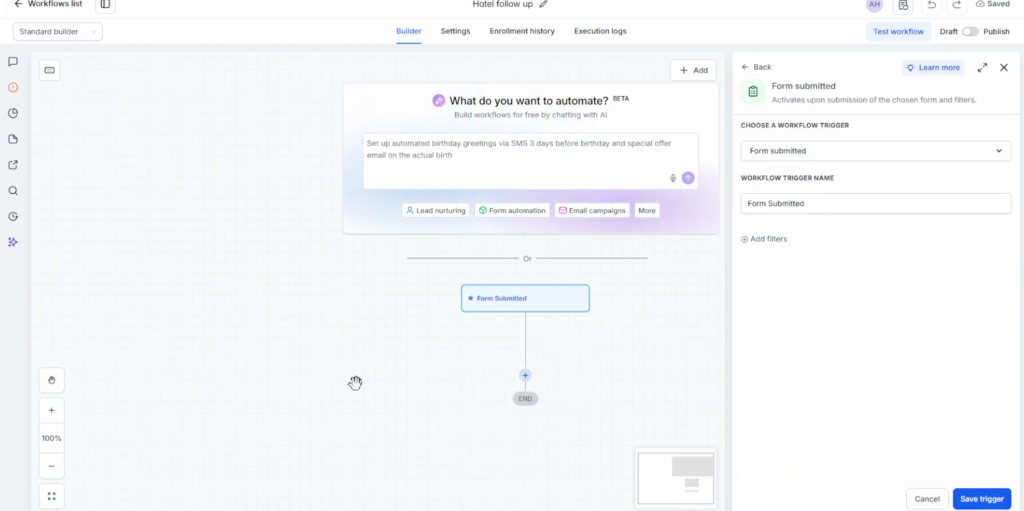
Open Automation, click Create workflow, and start from scratch or with Build with AI. Set the trigger to Form submitted, select the hotel booking inquiry form and name the workflow, for example Hotel inquiry follow-up.
The prompt used in the video, in short: when a guest submits the booking inquiry form, email them that the inquiry was received and the team will check availability, send a similar SMS, then notify the reservation team with the guest name, check-in, check-out, number of guests and room type. Do not tell the guest the reservation is confirmed.
The result:
- Trigger: form submitted.
- Send an “inquiry received” email.
- Send an “inquiry received” SMS.
- Internal notification to the reservation team, with custom values for check-in, check-out, guests and room type.
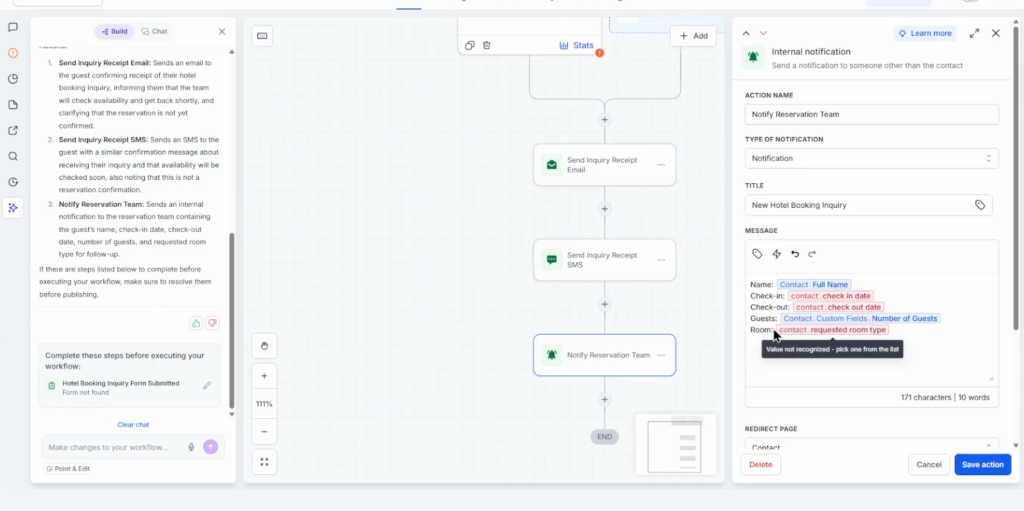
The last instruction in the prompt matters: the guest hears that the request arrived, not that the room is booked, because availability is still to be checked.
Step 4: Test, fix and publish
Click Test workflow, pick a test contact and run the test. Workflow settings, Enrollment history and the Execution log show what ran: each step is executed or skipped. If a step is flagged, “How to fix” uses AI to correct it. Make sure the trigger has the form selected (Save trigger); you can add filters too. Then switch from Draft to Publish.
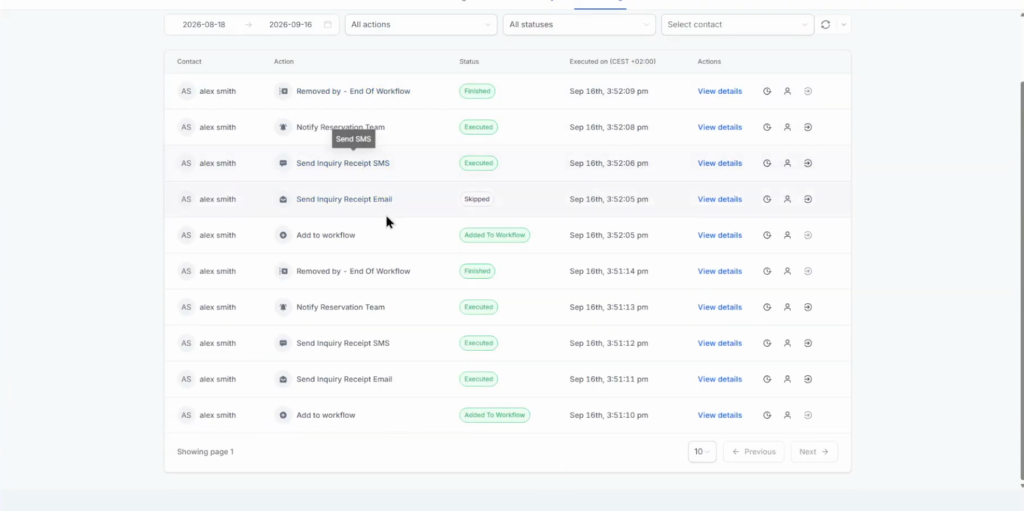
Finally, submit the live form as a guest: the contact should appear, the confirmation should go out and the team should get the notification.
What I would add next
Group and event inquiries behave differently from a room booking, so I would route them to their own pipeline, as the video suggests. A wedding block or a conference is a sales process with several touches, not a yes or no on availability.
For room inquiries, the instant email and SMS buy the reservation team time: the guest knows the request arrived while someone checks the calendar.
Set up your hotel CRM on a 30-day trial
30 days free instead of 14, plus the free GHL Launch Vault: 20 bonuses including a client-ready sales kit.
FAQ
Can GoHighLevel be used as a hotel CRM?
Yes. A booking inquiry form captures the dates, guests and room type, and a workflow confirms the inquiry by email and SMS and notifies the reservation team.
What fields should a hotel booking inquiry form have?
First name, last name, phone, email, check-in and check-out dates, number of guests, room type and an optional message.
Can GoHighLevel confirm a hotel booking automatically?
The workflow confirms that the inquiry arrived. In the video it deliberately does not confirm the reservation, because the team checks availability first.
How does the reservation team get notified?
An internal notification step in the workflow sends the guest name, dates, number of guests and room type to the team.
Can I build the hotel workflow with AI?
Yes. Build with AI creates the workflow from a prompt. Check that the trigger has the right form selected and review each step.
Does this setup work for guest houses?
Yes. The same form and workflow fit a guest house or a small hotel.
Related next step
Cover callers who cannot get through with missed call text back. For a project-based setup with proposals and e-signature, see the CRM for architects build. Trial details are on the 30-day trial page. For a chat agent that answers and books, set up GoHighLevel Conversation AI.