GoHighLevel Agent Studio builds custom AI agents from a plain-language description: you tell the builder who the agent is and what it should do, connect a knowledge base, choose its triggers, apps and capabilities, test it and publish it. One note first: HighLevel is moving new agent creation toward Super Agents, and Agent Studio stays available for existing flow-based agents. If your account recommends Super Agents, that is normal, and the setup logic below still applies. Build it on our 30-day GoHighLevel trial (14 days is standard).
GoHighLevel deal
Extended 30-day free trial (the standard is 14 days), plus the free GHL Launch Vault (20 bonuses, including a client-ready sales kit).
Step 1: Open Agent Studio
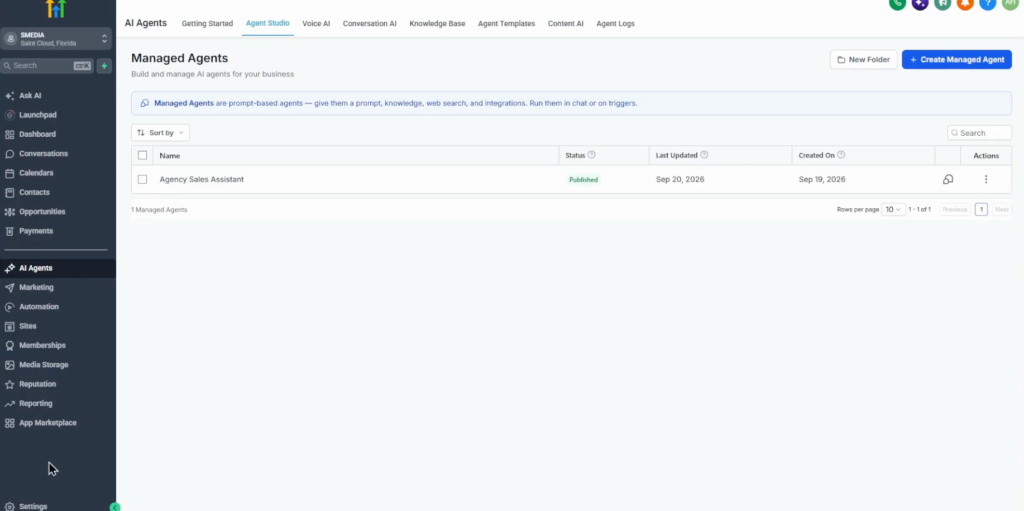
In the left panel open AI Agents, then Agent Studio at the top. You see the list of agents and Create agent, if the account still allows new flow agents; otherwise open an existing Agent Studio agent. The canvas has Build your agent on the left, where you describe what the agent should do, and Start from a use case on the right.
Step 2: Pick a template or describe the agent
| Template | What it does |
|---|---|
| Knowledge base assistant | Answers questions from your knowledge base, for support and FAQs |
| Community moderator | Welcomes new members, answers common questions, flags content that breaks the guidelines |
| Email campaign agent | Plans, drafts and sends targeted campaigns to a segment |
| Social media posting agent | Drafts and publishes on-brand posts, adapting tone and format per platform |
Or describe your own. The prompt in the video:
You are a helpful sales assistant for our marketing agency. Answer questions clearly using our business information. Help potential customers understand our services. If someone is interested in working with us, help them book a consultation. If you don’t know an answer, do not invent information.
Keep the instructions clear and short: who the agent is, what it should do and what it should not do. The builder asks follow-up questions, such as which business information or knowledge base to use; answer them.
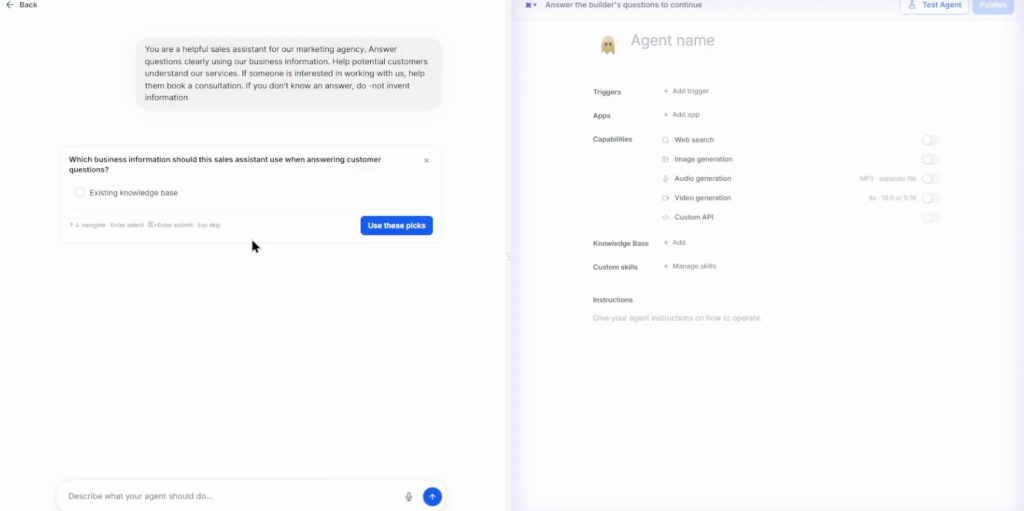
Step 3: Create a knowledge base
Open AI Agents, Knowledge Base and click Create knowledge base (top right) or Create with AI. Give it a name and a description, then add sources: web crawlers, FAQs, tables, rich text or files.
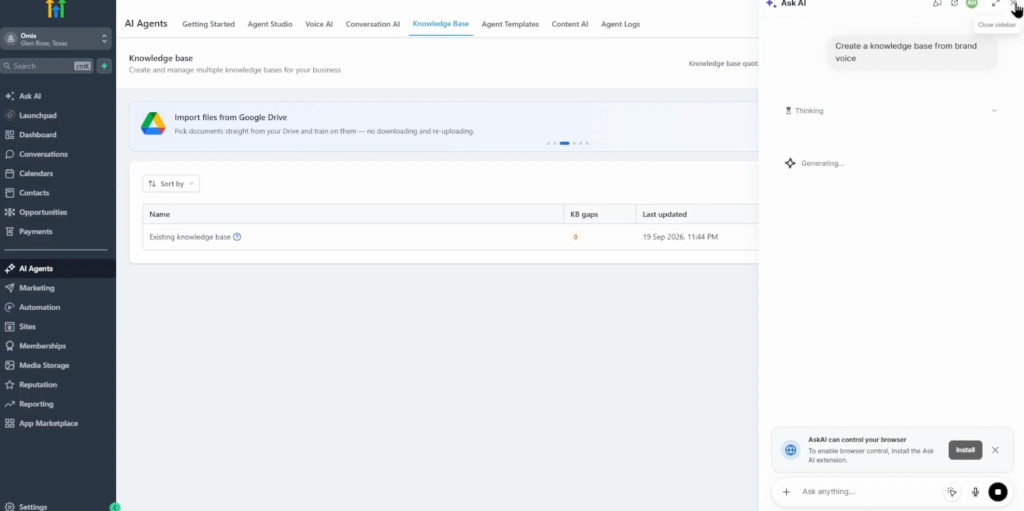
Step 4: Review the agent
The finished agent shows its instructions and name, its triggers (for example chat started), the apps it can access, its capabilities (web search on; image generation, audio generation and a custom API can be added), its knowledge bases (several are possible) and custom skills.
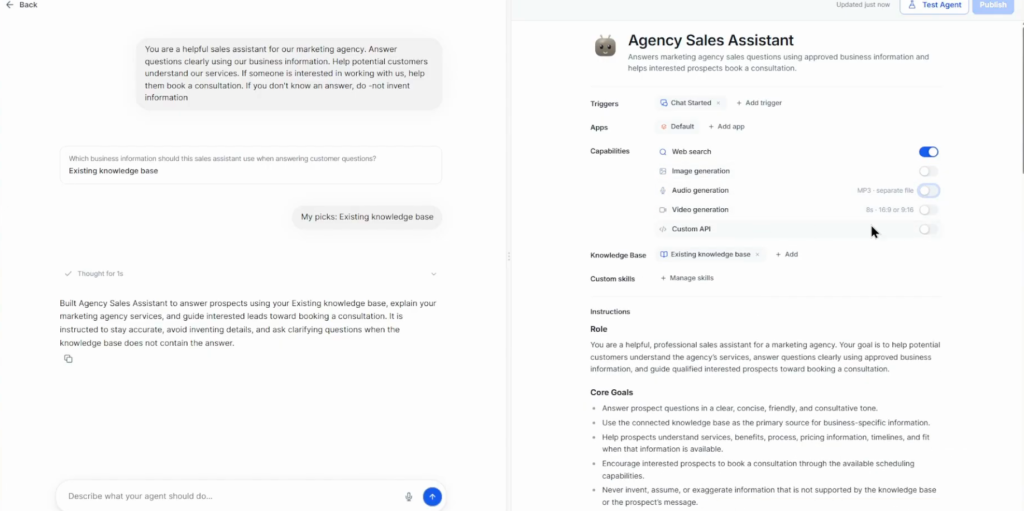
Add actions too: CRM actions can book an appointment in the calendar you choose and tag an interested lead, and you can add triggers beyond chat started.
Step 5: Test it
Click Test agent (top right). In the video the agent was asked “What are our business hours?” with an empty knowledge base: it said it could not find the answer, would not guess, and suggested booking a consultation or asking a team member. That is the behaviour you want. Then connect the knowledge base and ask again.
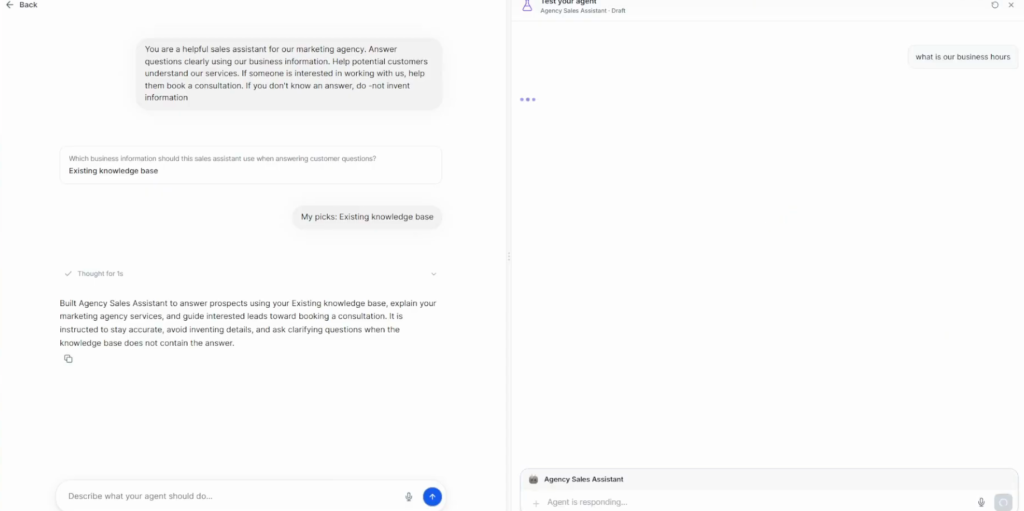
AI usage is paid from the account wallet: in the video a booking test failed because the wallet had run out of balance. Top it up before testing actions.
Step 6: Publish
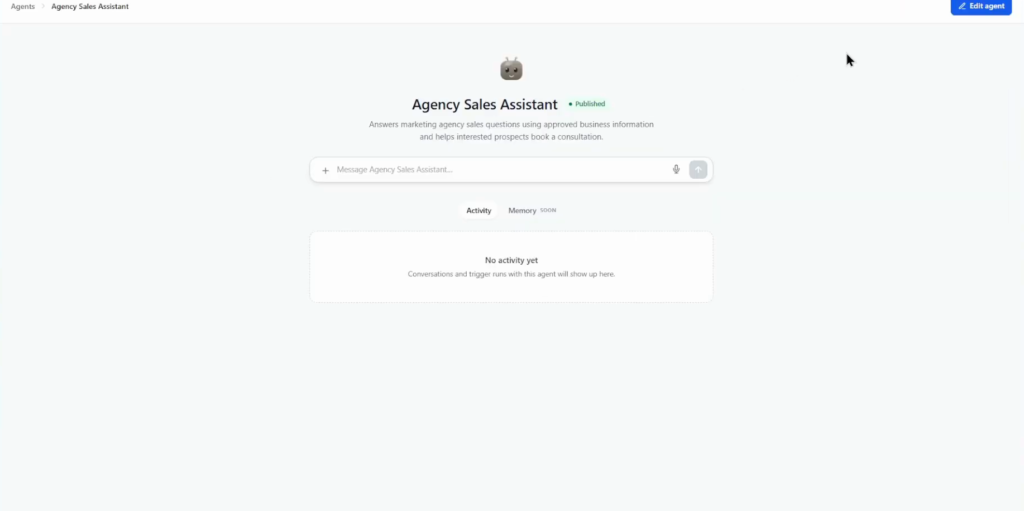
From the agents list, open Edit agent and click Publish (top right). Before publishing, test the knowledge base answers, the booking behaviour, the CRM actions and a few unusual questions.
When I would use Agent Studio
For a chat agent that answers leads and books calls, Conversation AI is the simpler tool. Agent Studio earns its place for agents that do other work: moderating a community, drafting campaigns, posting to social media.
Whichever you build, the refusal test matters most: ask something the knowledge base does not cover and check that the agent says so instead of inventing an answer. That one test catches the worst failure before a customer does.
Build your first agent on a 30-day trial
30 days free instead of 14, plus the free GHL Launch Vault: 20 bonuses including a client-ready sales kit.
FAQ
What is GoHighLevel Agent Studio?
A builder for custom AI agents inside GoHighLevel: describe the agent, connect a knowledge base, set triggers, apps and capabilities, test it and publish it.
Is Agent Studio being replaced by Super Agents?
HighLevel is moving new agent creation toward Super Agents. Agent Studio stays available for existing flow-based agents, and the setup logic is the same.
What templates does Agent Studio have?
Knowledge base assistant, community moderator, email campaign agent and social media posting agent.
How do I give an agent my business information?
Create a knowledge base under AI Agents, Knowledge Base and add web crawlers, FAQs, tables, rich text or files.
Does Agent Studio cost extra?
AI usage is paid from the account wallet. If the wallet runs out of balance, actions such as booking stop working.
Can an Agent Studio agent book appointments?
Yes. Add the CRM action to book an appointment, choose the calendar, and test it before publishing.
Related next step
See everything the AI tools cover in the GoHighLevel AI Employee guide. If you resell AI agents to clients, the SaaS mode setup packages them into plans. Trial details are on the 30-day trial page.