A good CRM for network marketing tracks every prospect from first inquiry to joining your team, follows up automatically, books calls and trains new members in one place. GoHighLevel does all of that in one sub-account: a prospects pipeline, an opt-in form and funnel, a booking calendar, an AI-built follow-up workflow and an onboarding course. Here is the exact setup. Start with our 30-day GoHighLevel trial (instead of the usual 14 days) to build it before you pay.
GoHighLevel deal
Extended 30-day free trial (the standard is 14 days), plus the free GHL Launch Vault (20 bonuses, including a client-ready sales kit).
Before you start
Log in and open the business sub-account (switch out of the agency view, or create a sub-account if you do not have one). Go to Settings → Business Profile and check your details, especially the time zone, because calendars and workflows use it.
Step 1: Create a prospects pipeline
In the left menu open Opportunities → Pipelines and click Create pipeline. Name it Team Prospects and add six stages:
- New Inquiry
- Contacted
- Call Booked
- Information Reviewed
- Joined Team
- Not Interested
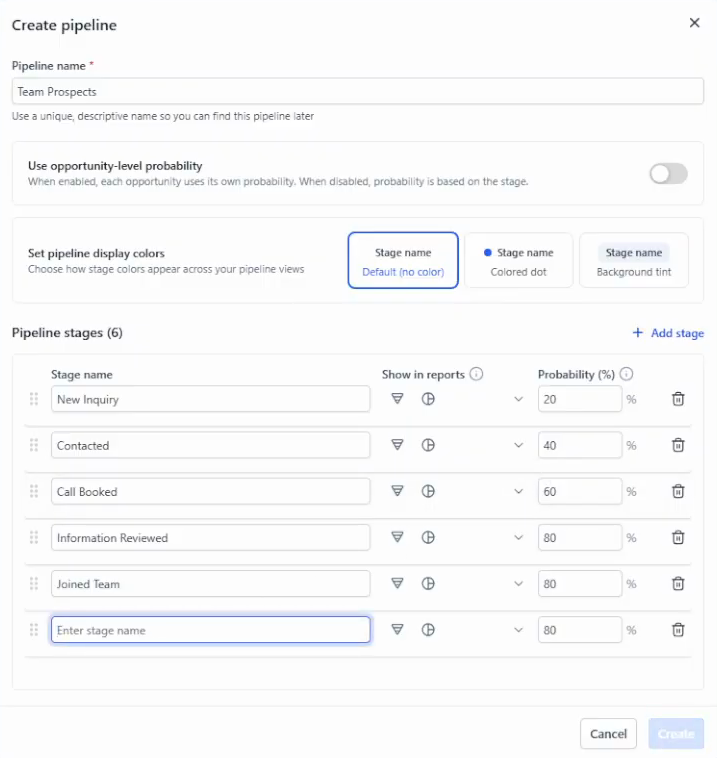
These are an example; use whatever stages match your process. Every person who shows interest gets an opportunity card, and you drag it to the next stage as the conversation moves.
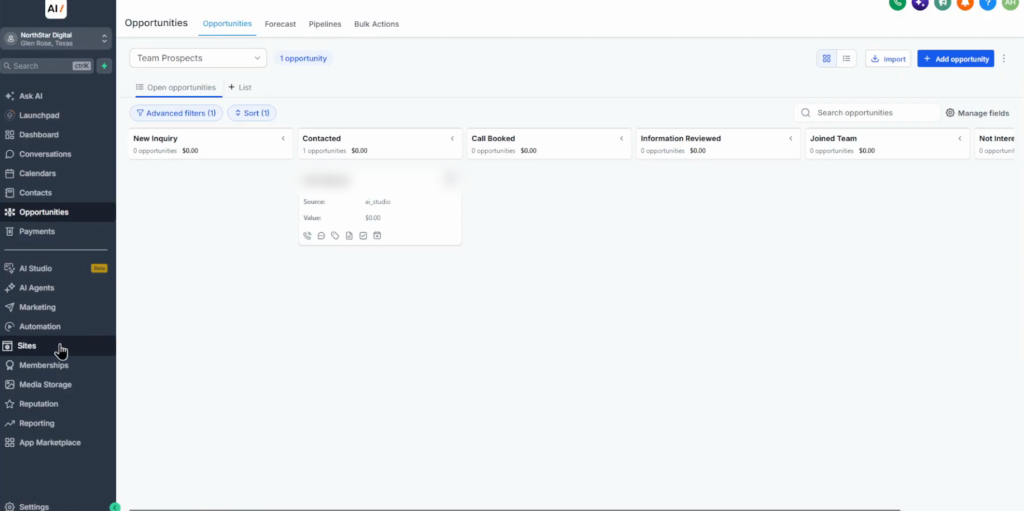
Step 2: Build the recruiting opt-in form
Go to Sites → Forms and create a form, from a template or blank. Keep it short: full name, email, phone, and a custom field “What would you like to learn about?” with the options Products, Becoming a representative, or Both. Preview it and save.
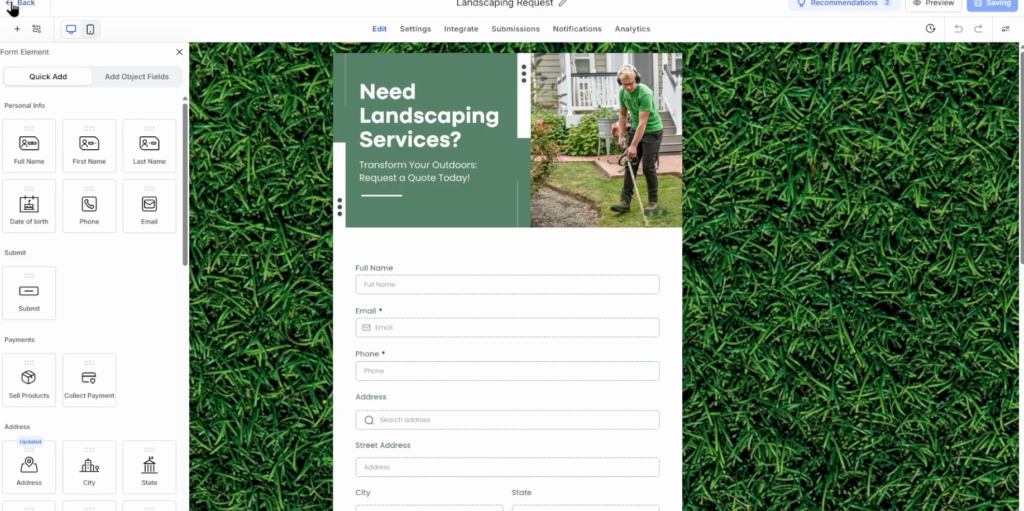
Step 3: Create the funnel page
In Sites → Funnels create a new funnel (from AI, a template or blank), for example Team Information, with one page such as “Learn more about the team”. Add a headline and a short description, then add a form element and select the form you just built. To publish it, connect a custom domain. This gives interested visitors a clear way to ask for information without a misleading process.
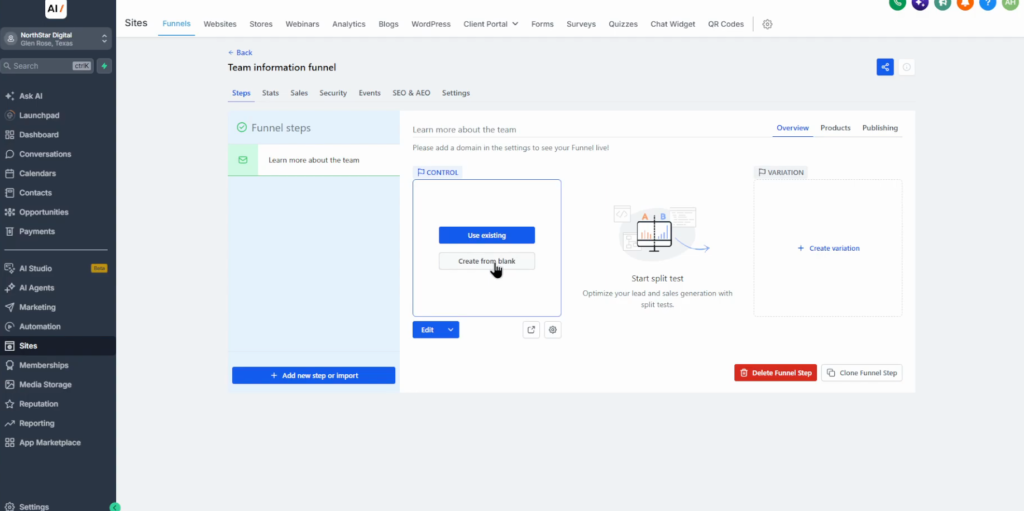
Step 4: Create a booking calendar
Open Calendars → Calendar settings and create a new calendar: Personal booking, name it Team Information Call, set a 20-minute duration and assign the team member who takes the calls. Advanced settings cover availability and deposits if you need them. Prospects can now book a call to learn about the products and the representative role.
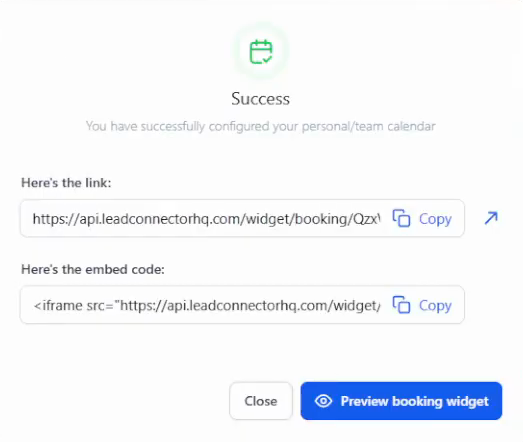
Step 5: Build the follow-up workflow with AI
Go to Automation, choose Build with AI and describe the workflow in plain English, for example: when the Team Information Request form is submitted, tag the contact, create an opportunity in Team Prospects at New Inquiry, send a welcome email with the booking link, then follow up by SMS if they have not booked. Click Build workflow.
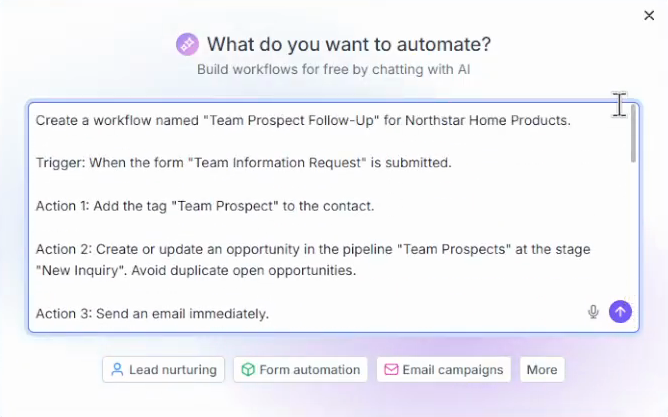
- Review the trigger, the pipeline action, every email and SMS, and the conditions.
- Replace booking-link placeholders with your real calendar URL.
- Make sure the workflow stops when someone books a call or opts out.
- Respect SMS consent: only text people who opted in.
- If the AI builder missed a condition, ask it to fix it, then click Test workflow and check the Execution log.
Step 6: Create a team onboarding course
In Memberships → Courses create a short course with three lessons: Welcome to your business (the products and team responsibilities), Understanding our products (features, pricing and customer support), and Working with customers (answering questions honestly, respecting marketing consent and avoiding exaggerated product or earnings claims). Add text and videos, check the access settings, publish, and grant access to approved team members through membership enrollment.
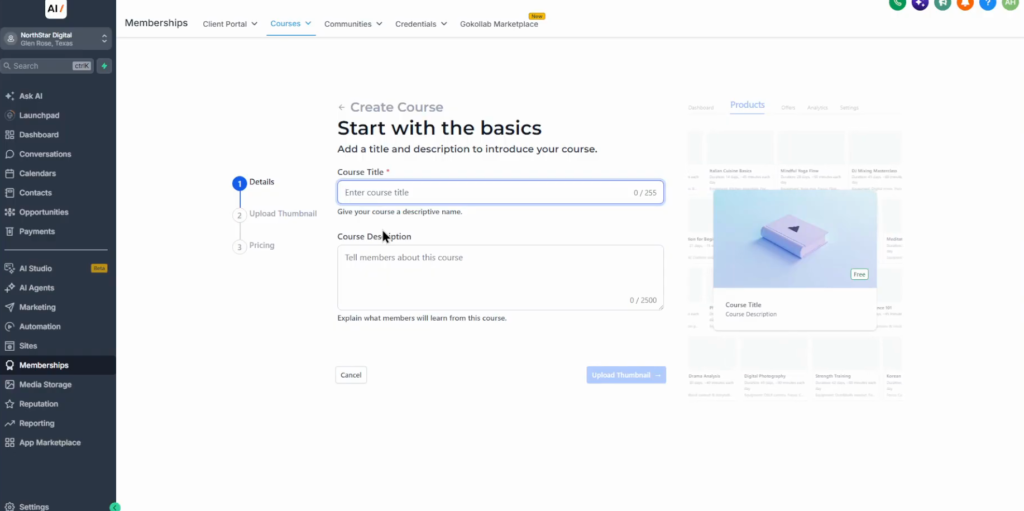
Step 7: Test it as a prospect
Act as a prospect and run the whole path: fill in the form, check the contact appears in the CRM and the pipeline, confirm the follow-up email arrives, open the funnel, and book a call through the calendar. If every step works, the system is ready.
Why this setup works for network marketing
Most network marketers run their pipeline out of DMs and memory. The pipeline here makes every conversation visible, and the workflow means nobody who raised a hand is forgotten.
Keep the honesty rules in the course and in the copy: no income promises, clear consent for messages. It protects your team and it is what platforms and regulators expect.
Common mistakes
- Wrong time zone in the business profile, so bookings and messages land at odd hours.
- Placeholders left in the workflow, so prospects get a broken booking link.
- No stop condition, so people keep getting follow-ups after they booked.
- Texting without consent. Only message people who opted in.
- Income or product claims you cannot back up, in funnels, messages or training.
Build your network marketing CRM on a 30-day trial
30 days free instead of 14, plus the free GHL Launch Vault: 20 bonuses including a client-ready sales kit.
FAQ
What is the best CRM for network marketing?
One that combines a pipeline, forms, funnels, a booking calendar, automated follow-up and training. GoHighLevel covers all of those in one sub-account, which is why we use it for this setup.
Can GoHighLevel be used for MLM?
Yes. Use a pipeline for prospects, a form and funnel for opt-ins, a calendar for information calls, workflows for follow-up and a membership course for onboarding new team members.
What pipeline stages should a network marketer use?
A simple set works: New Inquiry, Contacted, Call Booked, Information Reviewed, Joined Team and Not Interested. Adjust them to your own process.
Can GoHighLevel build the follow-up automation for me?
Yes. In Automation choose Build with AI and describe the workflow in plain English. Then review every step, replace placeholders and test it before turning it on.
How do I train new team members in GoHighLevel?
Create a course under Memberships, add lessons with text and video, publish it and grant access to approved members through membership enrollment.
How long is the GoHighLevel free trial?
14 days as standard; 30 days through our link, with no charge during the trial.
Related next step
Go deeper on the pieces: the GoHighLevel CRM tutorial, pipelines and opportunities, building a funnel and the AI Employee for instant replies. Selling a course? Follow the GoHighLevel courses guide.