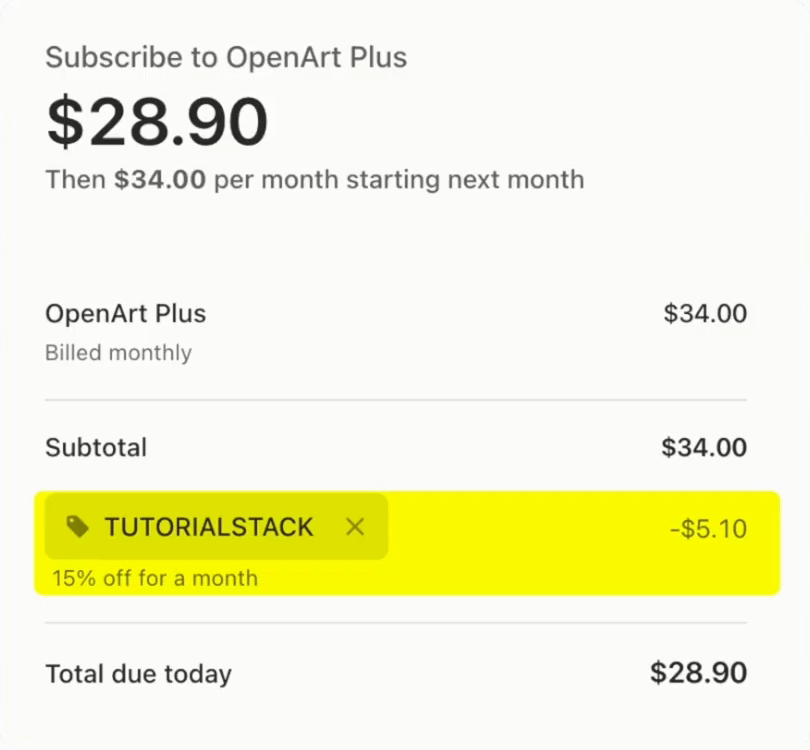
OpenArt is worth it if you make mixed content (images, video and voice) and want the same character across all of it: one subscription replaces several tools, and its character consistency is better than most. It is not worth it if you only generate still images, or if you live in cinematic video with heavy camera control. Most people should buy Plus; daily publishers and client work should pick Pro. Through OpenArt code TUTORIALSTACK takes 15% off.
OpenArt deal
15% off with code TUTORIALSTACK, plus the free AI Prompt Vault (2,662 prompts + the AI Ad & UGC Course) with any paid plan.
What OpenArt actually is
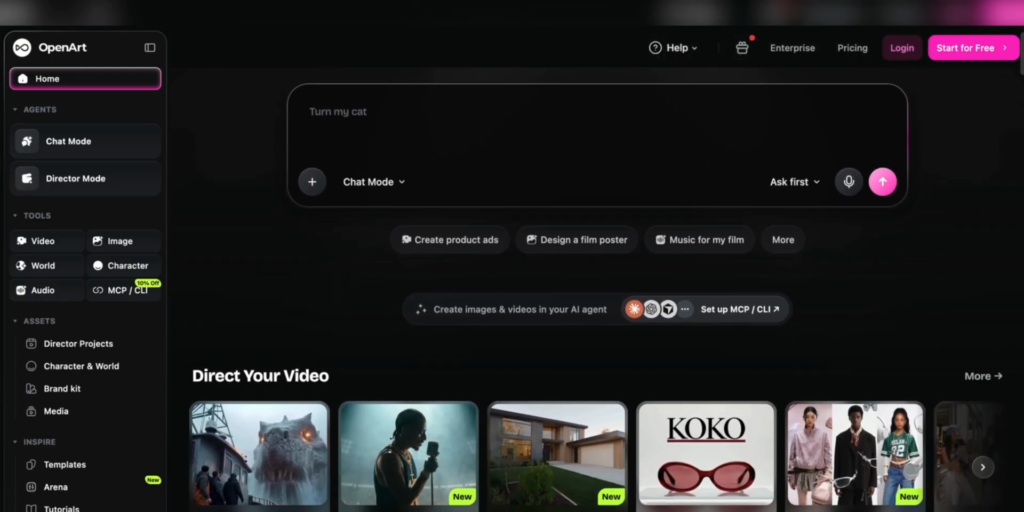
The name undersells it. OpenArt is no longer just an image generator: it is an all-in-one AI creative studio covering images, video, characters, audio and even 3D worlds, with more than 100 premium models behind one subscription. The pitch is that it replaces four or five separate tools, and whether it is worth it comes down to whether that is true for the work you make.
Images: the strongest part
In Create Image you write a prompt, then open the model picker and choose from names like Nano Banana Pro, GPT Image, Seedream and Flux. Autopolish rewrites your prompt into a stronger version before it generates, which saves a surprising number of wasted credits. You set the aspect ratio, resolution and how many images come back, and the generate button shows the credit cost upfront and updates live as you change settings.
The honest framing most reviews skip: the image quality is not OpenArt’s quality, it belongs to whichever frontier model you picked. What OpenArt sells is access and workflow. It keeps the model list current, so when the next big model launches it appears here without another subscription or login.
Beyond plain generation there is a real toolkit. Image Variations rebuilds a scene around a photo you already own, which is ideal for product photography: one flat product image in, clean marketing shots out. Alongside it you get Edit Image, Expand, Upscale, Change Background, Multi-view, camera angle control and face swap.
Character consistency: the reason to choose OpenArt
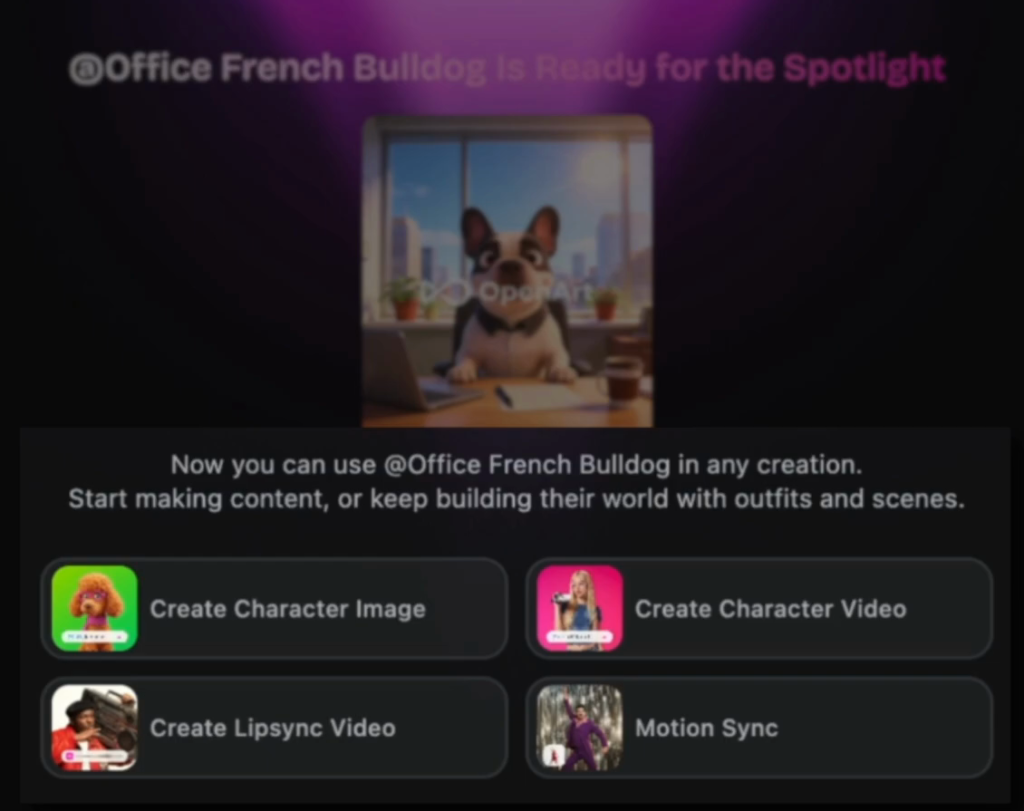
You build a character once, from a photo or a prompt, and then place the same face into new scenes and videos as often as you like. For serialized content, faceless channels or a brand with a recurring presenter, that solves the hardest problem in AI content, and OpenArt handles it better than most of the competition.
Video, audio and worlds
Video is a full section of its own: text-to-video, image-to-video, lip sync, motion sync, replace character, extend, restyle, upscale and sound effects, with the same model picker and the same visible credit cost. There is an audio section for voiceover, music, sound effects and voice cloning, a world builder for consistent backgrounds, and Director Mode plus a one-click story tool for longer pieces.
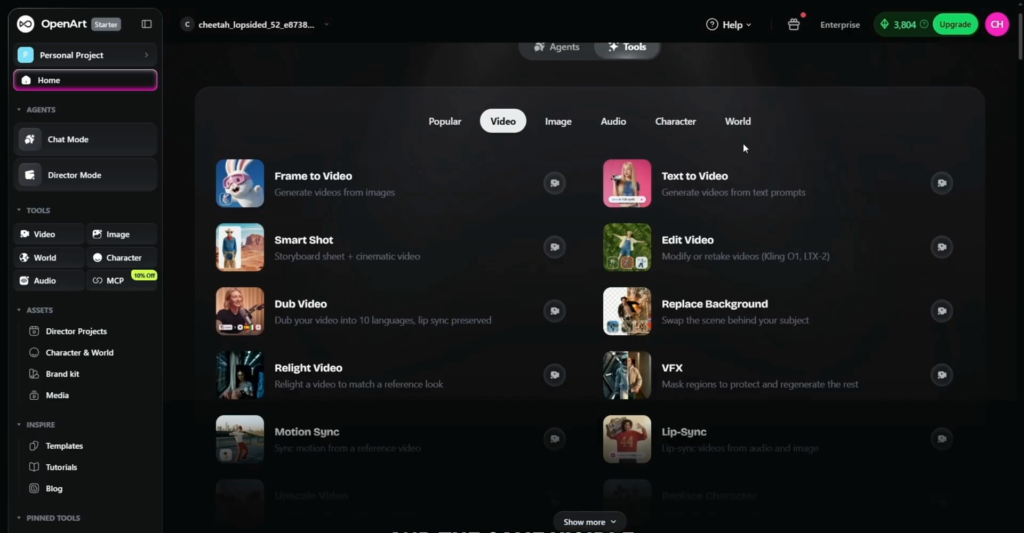
The video models are the same names you would pay for individually elsewhere, so the quality ceiling is the same. What changes is friction: your character, image and clip live in one library, and you do not export, upload and pay for a second platform to animate a still. To test it properly, do it in one sitting: one hero image, turn it into a character, drop the character into two scenes, animate one and add a voiceover. That takes about half an hour and a small slice of a monthly credit pool.
The downsides
- Uneven breadth. Core generation is excellent; some extras are hit and miss. The camera angle tool and some video editing tools come back softer than prompting a strong image model directly, and heavy restyle jobs can take a long time.
- Credits do not roll over. Unused credits disappear at the end of the billing cycle, so buy for your realistic output, not your busiest month. Upgrading later takes seconds.
- Starter has no commercial rights. Watermark-free output is not permission to sell. If you run ads, sell anything or deliver client work, commercial use starts on Plus.
- Short clips. Standard video clips run about 5 to 10 seconds, the story tool about a minute, and there is no real video editor built in.
- Free tier storage. On the free tier, unpublished creations are only stored for about a week.
Privacy
A real point in OpenArt’s favour: it states that every generation is private by default, on every plan, and that your uploads and creations are not used to train its models. If you handle client work or anything under an agreement, that is the answer you want.

OpenArt pricing
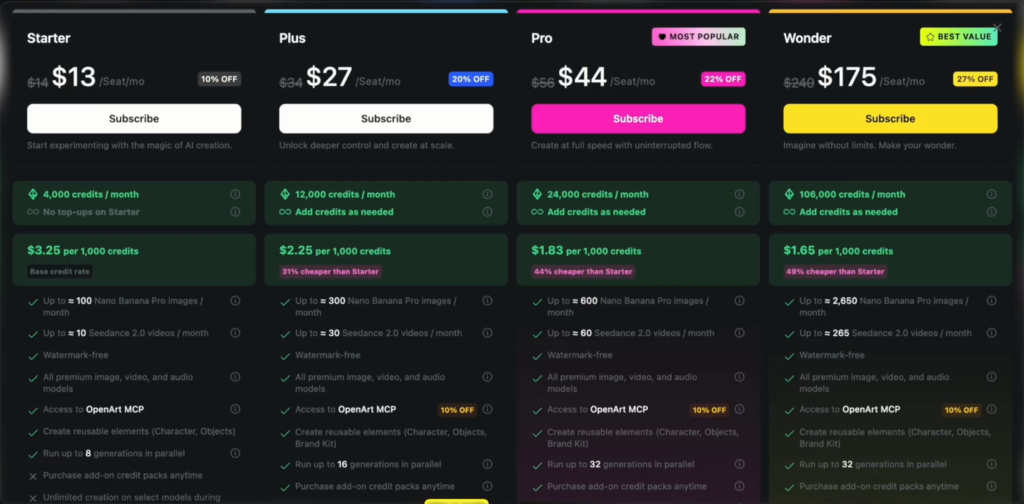
| Plan | Annual / monthly (per seat, per month) | Credits a month | Commercial use | Parallel generations |
|---|---|---|---|---|
| Starter | $13 / $14 | 4,000 | No | 8 |
| Plus | $27 / $34 | 12,000 | Yes | 16 |
| Pro | $44 / $56 | 24,000 | Yes | 32 |
| Wonder | $175 / $240 | 106,000 | Yes | 32 |
Prices from OpenArt’s pricing page (November 2026). Annual billing saves up to 27%. Plus is the first plan with commercial use, more parallel generations and mid-month credit top-ups; Pro is flagged most popular with the highest parallel limit and priority support; Wonder adds unlimited creation on selected models. There is also a free tier to test output quality.
Which plan should you buy?
- Plus for most people, and anyone earning from their work (commercial rights start here).
- Pro if you publish daily or serve clients.
- Starter only for a hobby, because it has no commercial rights.
- Wonder only at genuine studio volume.
Take the yearly term for the lowest monthly cost.
How to get the OpenArt deal
Open OpenArt through our link, choose your plan and enter TUTORIALSTACK at checkout for 15% off. Any paid plan also gets our free AI Prompt Vault (2,662 model-tuned prompts and the AI Ad and UGC Course): email your receipt to promptvault@tutorialstack.io with the subject PROMPT VAULT. Full checkout totals for every plan are in our OpenArt promo code guide.
My verdict after using it
Run the replacement-cost test: add up what a premium image tool, a premium video tool and a voice tool would cost separately, and compare that with one OpenArt plan. For most creators it is not a close call.
If you only make still images, a single dedicated tool may be cheaper. If you live purely in cinematic video with heavy camera control, a specialist like Higgsfield is a different lane worth comparing before you commit.
Pros and cons
| Pros | Cons |
|---|---|
| 100+ frontier models behind one subscription | Some bonus tools are softer than the core models |
| Best-in-class character consistency | Credits do not roll over |
| Credit cost shown before every generation | No commercial rights on Starter |
| Private by default; not used for training | Short clips, no built-in video editor |
Try OpenArt with 15% off
Code TUTORIALSTACK at checkout, plus the free AI Prompt Vault with any paid plan.
FAQ
Is OpenArt worth it in 2026?
Yes if you make mixed content (images, video and voice) and want consistent characters; one plan replaces several tools. If you only generate still images, a single dedicated tool may be cheaper.
Is OpenArt free?
There is a free tier for testing, with limited credits and short storage for unpublished creations. Paid plans start with Starter at $13 per month on annual billing.
Can I use OpenArt images commercially?
Commercial use rights start on the Plus plan. The Starter plan is watermark-free but does not include commercial rights.
Do OpenArt credits roll over?
No. Unused credits expire at the end of each billing cycle, so pick the plan that matches your realistic monthly output.
Does OpenArt train on my images?
OpenArt states that generations are private by default on every plan and that your uploads and creations are not used to train its models.
What is the OpenArt discount code?
TUTORIALSTACK takes 15% off at checkout, and any paid plan through our link gets the free AI Prompt Vault.
Related next step
See the exact checkout totals in our OpenArt promo code guide, grab the free AI Prompt Vault, or browse more AI tools.