Lovable is an AI app builder: you describe what you want in a chat, and it builds a working landing page, website, dashboard or web app for you, with code you can edit, connect to a database and publish. You can start on Lovable’s free plan; every message uses credits, so the way you prompt decides how far the plan goes.
Lovable deal
Start on Lovable’s free plan through the link, the best deal currently available on Lovable. Upgrade to a paid plan only when you need more credits.
How Lovable works
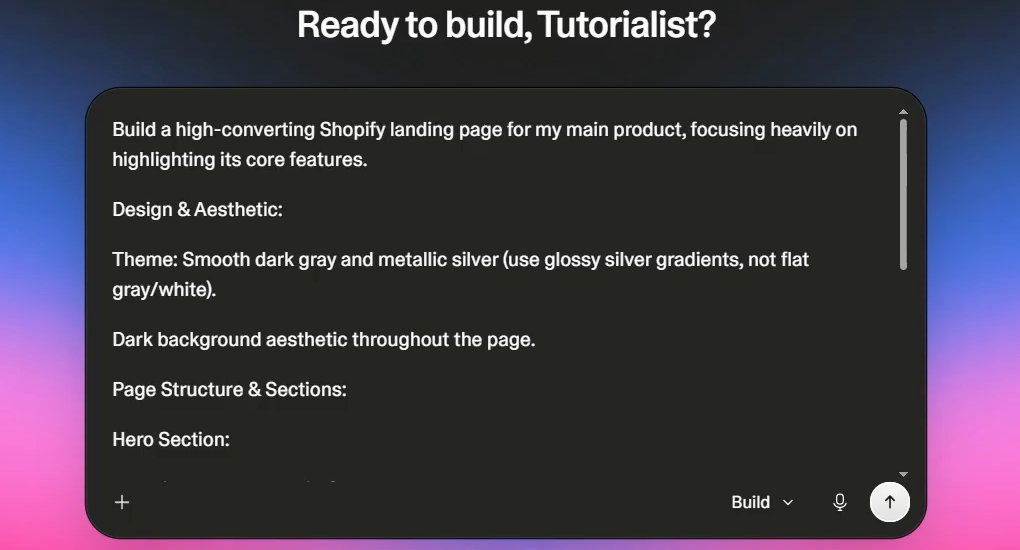
- Describe it. On the home screen you get one prompt box. Tell Lovable everything you need: the page or app, the product, the style, the sections. You can attach images or text to be more specific.
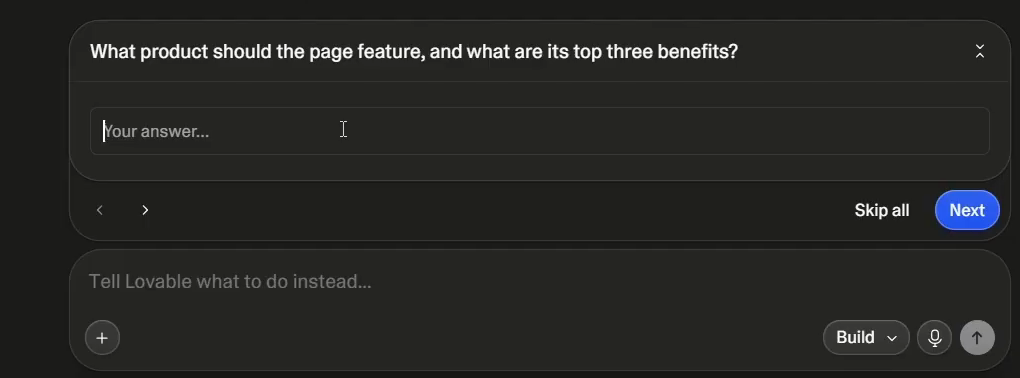
- Answer its questions (optional). Lovable may ask a few clarifying questions, such as which product the page should feature and its top three benefits. You can skip them, but answering, or putting it all in the first prompt, gets a better first result.
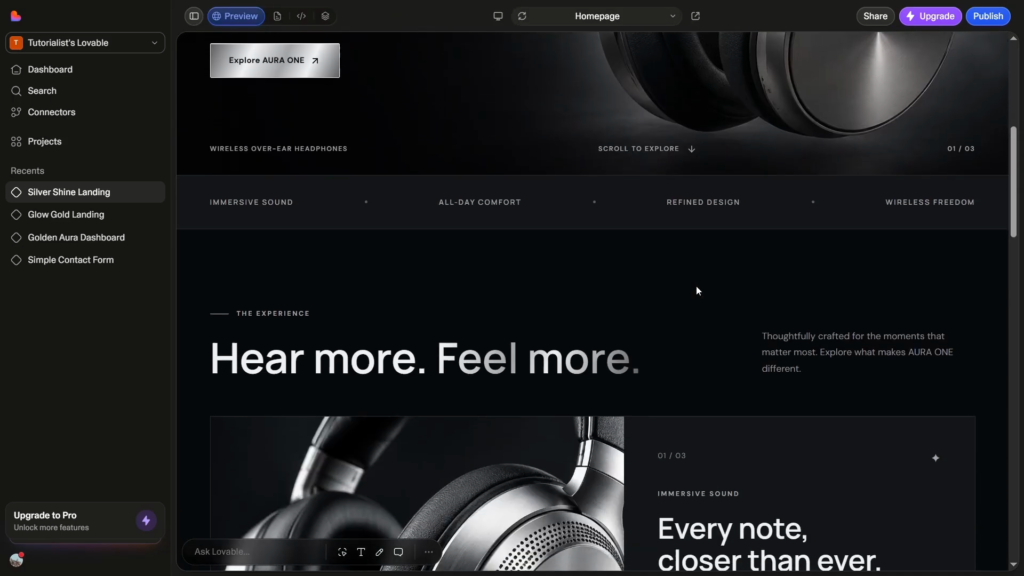
- Review the build. Lovable writes the project and shows a live preview next to the chat.
- Edit and connect. Change things by chatting, selecting elements or editing text directly, and add connectors such as Supabase or Stripe when you need real data or payments.
Credits: why your first prompt matters
Lovable charges credits for each prompt, and bigger changes cost more. On its pricing page (November 2026) the examples are:
| Request | Credits |
|---|---|
| Change a button style | 0.50 |
| Remove a footer | 0.90 |
| Add authentication | 1.20 |
| Build a landing page with generated images | 1.70 |
So start with one very detailed prompt instead of many small ones. The more complete the first prompt, the fewer edits you need afterwards and the fewer credits you spend. A trick from the video: ask another AI to turn your rough notes into a full prompt, then paste that into Lovable.
Editing what Lovable builds
- Big changes: write another detailed “super prompt” describing the new overall look or structure.
- A few elements: use the toolbox at the bottom, click Select elements, pick the element and change only that.
- Text: use the text tool, highlight the text and type over it, which needs no prompt at all.
Connectors: real data, logins and payments
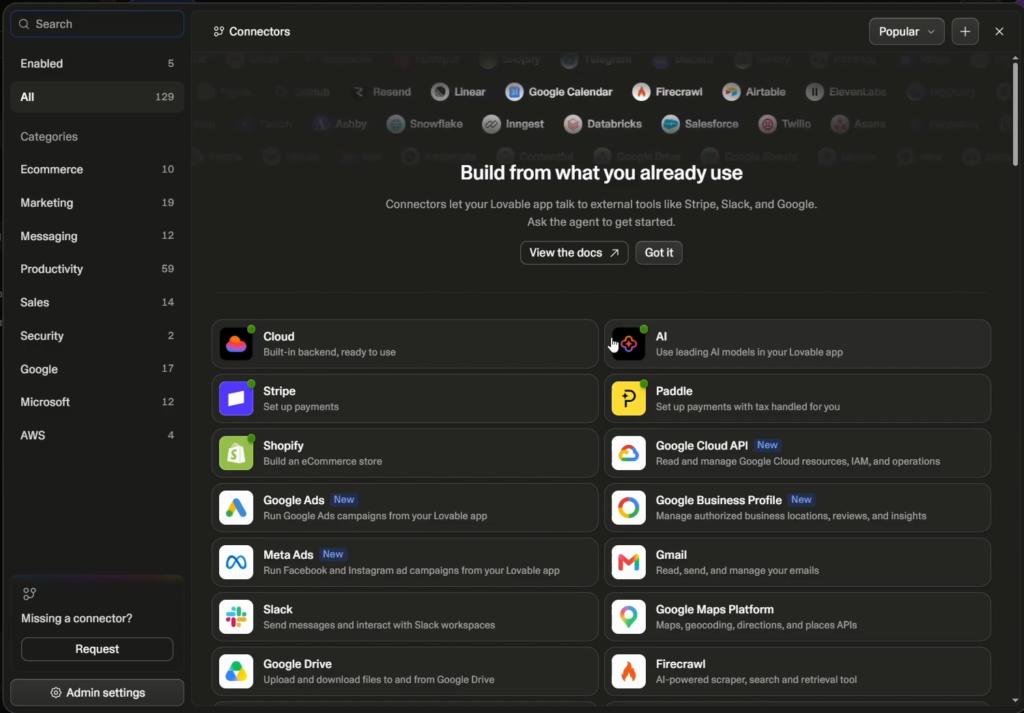
Connectors are where Lovable goes beyond pages. Connect Supabase for user data and authentication, Stripe or Paddle for payments, Shopify for a store, plus tools like Google Cloud, Gmail, Slack and ad platforms. That is what lets you build a real app, a CRM or your own store rather than a static page.
Lovable pricing
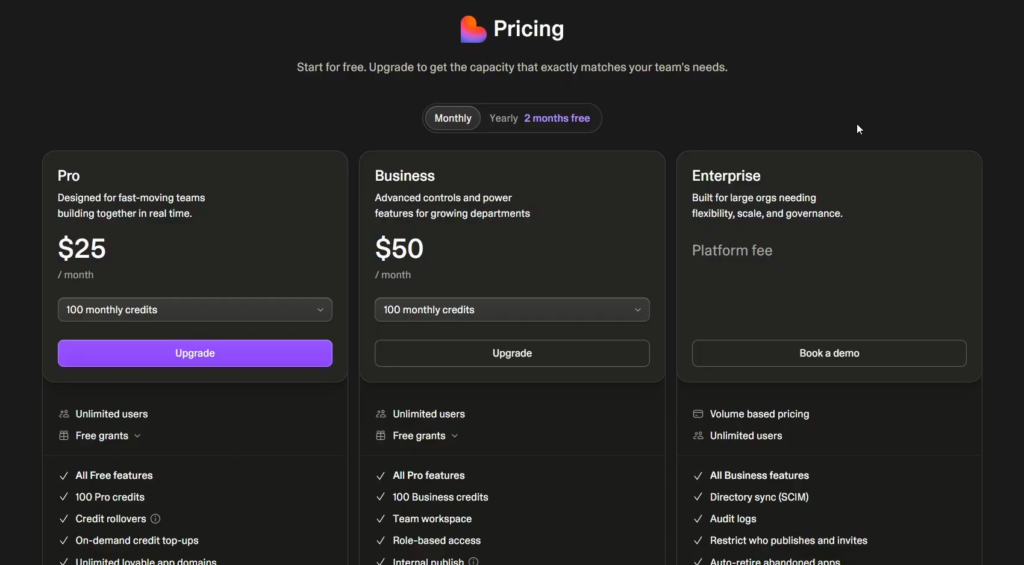
You can start building on the free plan. In the video (October 2026) the paid plans were Pro at $25 a month and Business at $50 a month, each starting with 100 monthly credits and scaling up, plus custom-priced Enterprise; yearly billing gave two months free. Pro adds credit rollovers and on-demand top-ups; Business adds team workspace controls. Check the live pricing page for today’s credit tiers before you upgrade.
What can you build with Lovable?
- Landing pages and marketing sites
- Dashboards and internal tools
- Web apps with logins and a database (via Supabase)
- Stores and paid products (via Stripe or Shopify)
- Prototypes to test an idea before hiring a developer
Lovable alternatives
The closest alternative is Base44, which also builds full apps from a prompt but includes its own backend, database and logins, so there is less to connect. In our side-by-side test Base44 came out ahead for complete apps; see Base44 vs Lovable for the full comparison.
Base44 deal
30% off a paid plan through the link (it shows after you register), plus a free plan to start.
Who Lovable is for
Lovable is at its best when you know what you want and can describe it well: one strong prompt gets you most of the way, and the select-and-edit tools handle the polish.
If you are going to burn credits on lots of tiny back-and-forth edits, plan your prompt first, or compare Base44 before you upgrade. Either way, start on the free plan and see how far one detailed prompt takes you.
Start building on Lovable for free
Begin on the free plan through our link and upgrade only when you need more credits.
FAQ
What is Lovable AI?
Lovable is an AI app builder. You describe a landing page, website, dashboard or web app in a chat, and it builds it with a live preview that you can keep editing, connect to tools like Supabase and Stripe, and publish.
Is Lovable free?
Yes, you can start on a free plan. Paid plans add more monthly credits; in the video (October 2026) Pro started at $25 a month and Business at $50 a month.
How do Lovable credits work?
Each prompt uses credits, and bigger changes use more: on Lovable’s pricing page a button style change is 0.50 credits and a landing page with generated images is 1.70. A detailed first prompt saves credits.
Can Lovable build a full app with a login?
Yes. Connect Supabase for user data and authentication, and Stripe for payments, through Lovable’s connectors.
Do I need to know how to code to use Lovable?
No. You build by chatting, selecting elements and editing text. Lovable writes the code, which you can still view and export if you want a developer to take over.
What is the best alternative to Lovable?
Base44, which builds complete apps from a prompt with its own built-in backend. See our Base44 vs Lovable comparison for the details.
Related next step
Compare the two leading builders in Base44 vs Lovable, see what an AI creative studio offers in our OpenArt review, or browse all AI tools. Looking for a discount? See the Lovable coupon code guide.