The OpenArt promo code is TUTORIALSTACK. It takes 15% off a paid plan at checkout: for a full year when you pay annually, or for your first month on monthly billing. Start through our OpenArt link and you also get the free AI Prompt Vault with any paid plan.
| Code | Discount | Tested on | Bonus |
|---|---|---|---|
| TUTORIALSTACK | 15% off (a year on annual, the first month on monthly) | Plus, Pro and Wonder checkouts | Free AI Prompt Vault with any paid plan |
OpenArt deal
15% off with code TUTORIALSTACK, plus the free AI Prompt Vault (2,662 prompts + the AI Ad & UGC Course) with any paid plan.
How to use the OpenArt promo code
- Open our OpenArt link. It takes you to the official OpenArt page with the offer loaded, so you are not hunting through expired coupon sites.
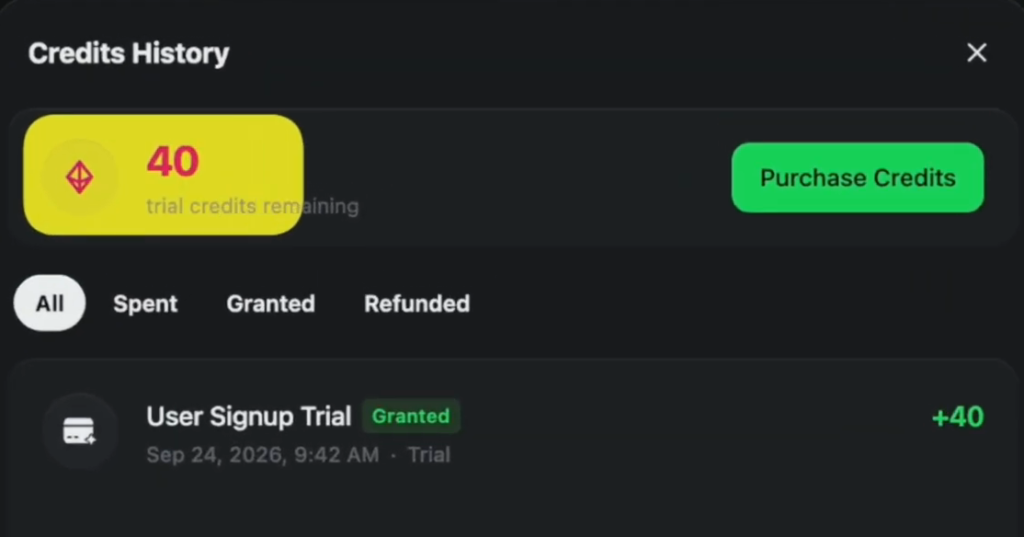
- Create a free account. New accounts get free trial credits, enough to run a few prompts before you pay.
- Click Upgrade, choose your plan and check the annual toggle.
- On the checkout page, paste TUTORIALSTACK into the promotion code field.
- Check that the price drops and the code shows as applied, then confirm.
What the code saves you
| Plan and billing | Price | Code discount | Total due today | Discount lasts |
|---|---|---|---|---|
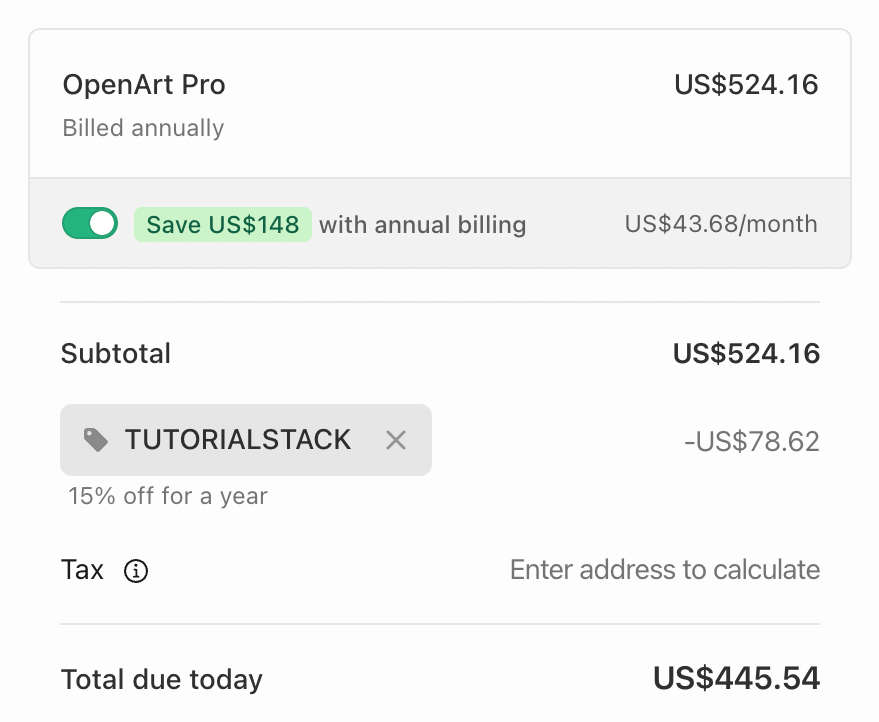
| Pro, annual | $524.16 | -$78.62 | $445.54 | 12 months |
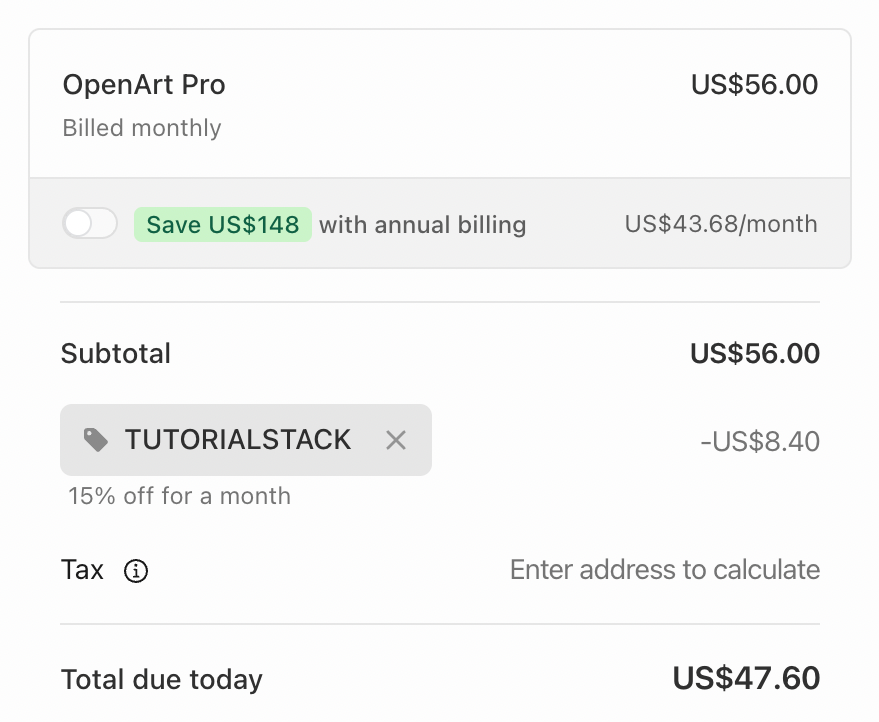
| Pro, monthly | $56.00 | -$8.40 | $47.60 | First month |
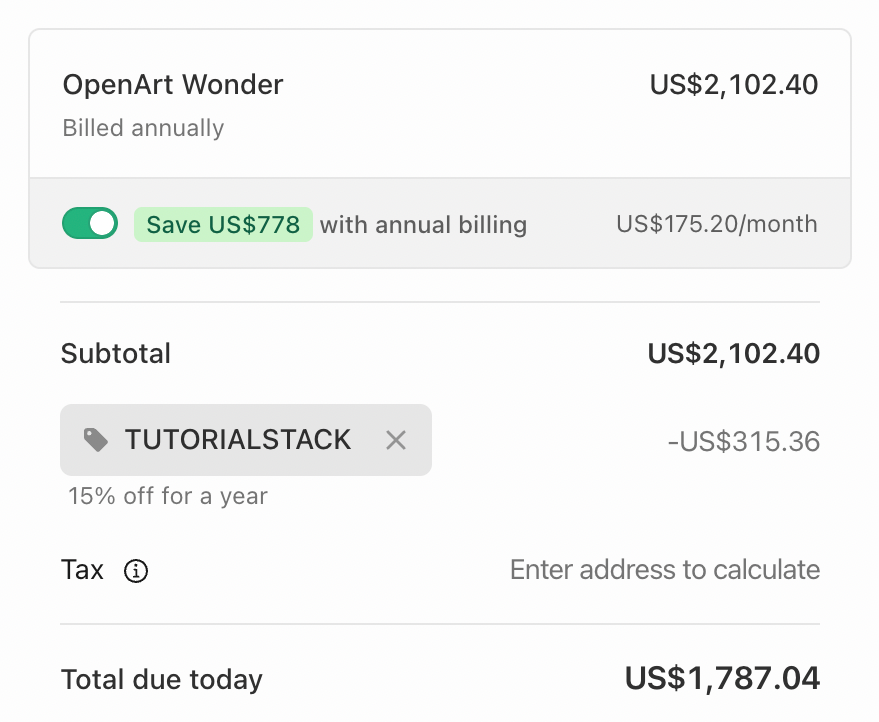
| Wonder, annual | $2,102.40 | -$315.36 | $1,787.04 | 12 months |
| Wonder, monthly | $240.00 | -$36.00 | $204.00 | First month |
| Plus, monthly | $34.00 | -$5.10 | $28.90 | First month |
Checkout totals before tax, captured in November 2026 (Plus from the September 2026 video). Tax is added at checkout based on your address. On monthly billing the code covers the first month, so the annual plan with the code is the cheapest way in if you plan to stay.
OpenArt plans and pricing
OpenArt has four paid plans. Every plan is watermark-free and includes the premium image, video and audio models; the difference is how many credits you get each month and how many generations you can run at once.
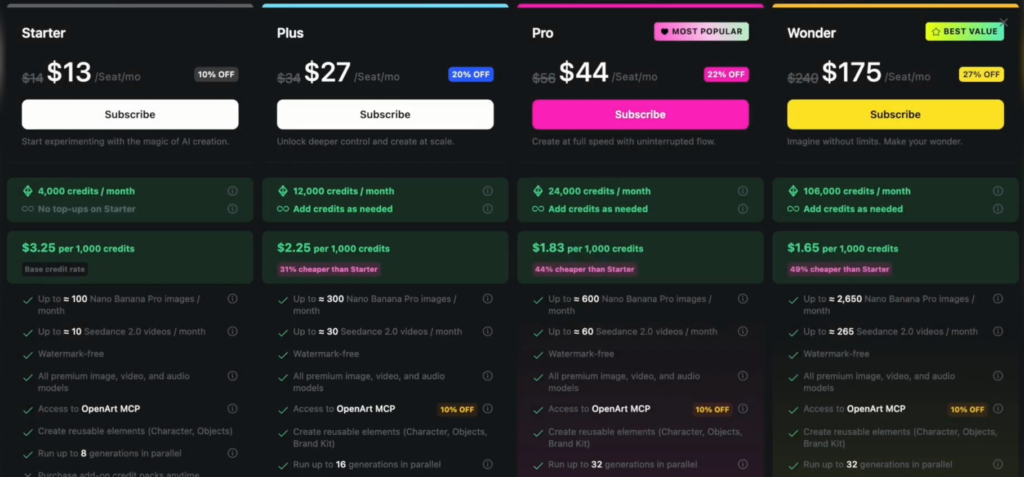
| Plan | Billed annually | Billed monthly | Credits per month | Roughly per month |
|---|---|---|---|---|
| Starter | $13 | $14 | 4,000 | ~100 images or ~10 videos |
| Plus | $27 | $34 | 12,000 | ~300 images or ~30 videos |
| Pro | $44 | $56 | 24,000 | ~600 images or ~60 videos |
| Wonder | $175 | $240 | 106,000 | ~2,650 images or ~265 videos |
Prices per seat per month from OpenArt’s plan page in September 2026; the image and video counts are OpenArt’s own estimates for Nano Banana Pro images and Seedance 2.0 videos. Annual billing saves 10% on Starter, rising to 27% on Wonder, and the code comes off on top.
Which plan should you pick?
- Starter: personal projects and learning the platform. No credit top-ups on this plan.
- Plus: the first tier with commercial use rights. If you sell anything you make, start here.
- Pro: OpenArt’s most popular plan, with 24,000 credits and up to 32 generations in parallel.
- Wonder: for heavy video output, with the lowest cost per 1,000 credits ($1.65 vs $3.25 on Starter).
Monthly credits reset and do not carry over, so pick the plan that matches what you actually make each month rather than overbuying.
What you can make with OpenArt
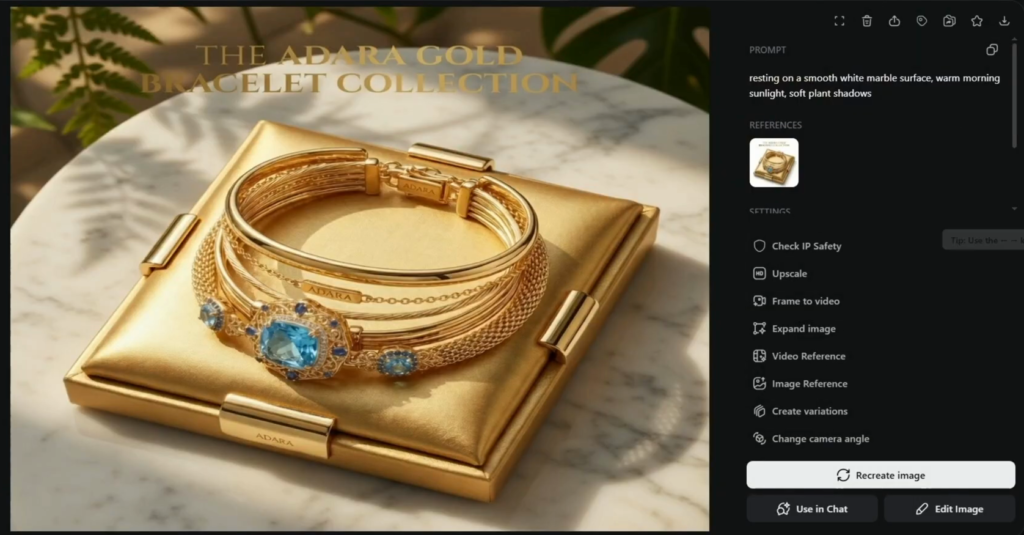
OpenArt is a full AI creation suite rather than just an image generator. You can create images from a prompt, upload a product photo and generate clean studio-style variations of it, change the camera angle, upscale, swap the background, then move into video, voiceover and music with the same credits. Over 100 models sit behind it, and you switch between them with one click.
Free bonus: the AI Prompt Vault
Start any paid OpenArt plan through our link, then email your receipt to promptvault@tutorialstack.io with the subject PROMPT VAULT. The vault arrives in minutes: 2,662 model-tuned prompts for 11 image and video models, plus the AI Ad & UGC Course. It is updated at the same link when the models change. See what is inside the Prompt Vault.
Is the code worth it?
I ran the code through the Plus, Pro and Wonder checkouts before writing this, and the 15% showed up on each one before payment. The bigger saving is the annual toggle: on Pro, annual billing was $148 cheaper than paying monthly for a year, and the code then took another 15% off.
If you are not sure OpenArt fits your work yet, spend the free trial credits first. Upgrade once you know which models you use, because unused monthly credits do not roll over.
Frequently asked questions
What is the OpenArt promo code?
TUTORIALSTACK. Paste it into the promotion code field at checkout for 15% off a paid plan.
Does the OpenArt promo code work on monthly plans?
Yes. On monthly billing it takes 15% off your first month. On annual billing it takes 15% off the whole year.
Does OpenArt have free credits?
Yes. New accounts get free trial credits (40 when we signed up), enough to run a few prompts before you decide on a plan.
Do OpenArt credits roll over?
No. Your monthly credits reset each billing month and do not carry over.
Which OpenArt plan includes commercial use?
Plus and above. Starter is for personal projects.
Can I use the code with annual billing?
Yes. The annual discount applies first, then TUTORIALSTACK takes 15% off the annual price, as the Pro and Wonder checkouts above show.
How do I get the free Prompt Vault?
Start a paid OpenArt plan through our link, then email your receipt to promptvault@tutorialstack.io with the subject PROMPT VAULT. The links arrive by reply.
15% off OpenArt with TUTORIALSTACK
Plus the free AI Prompt Vault with any paid plan.
Related next step
Building with AI? Compare Base44 vs Lovable, browse the AI tools hub, or see every current offer on the deals page.