For Netflix, NordVPN unlocks the widest spread of libraries and is the fastest on long-distance servers, Surfshark covers every screen in the house on one account, and ProtonVPN is the privacy pick (its free plan doesn’t promise streaming). Before you buy any of them, check your Netflix plan: Netflix doesn’t support VPNs on its ad-supported plan or for live events, so you need an ad-free plan.
NordVPN deal
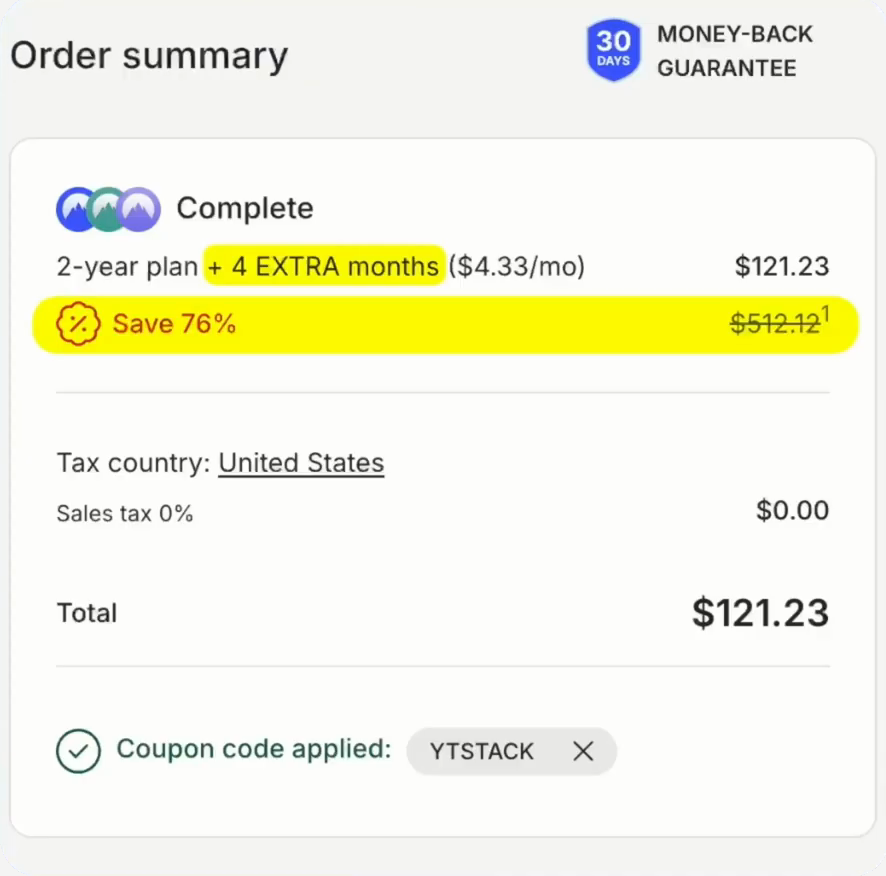
Up to 76% off + 4 months free with code YTSTACK.
What Netflix allows (read this first)
Netflix’s help center says VPNs aren’t supported for watching live events or if you’re on an ad-supported plan. When Netflix spots a VPN or proxy, you get error E106: “You seem to be using a VPN or proxy.”

Netflix doesn’t detect VPN software; it detects addresses. It keeps rolling lists of addresses that belong to data centers rather than homes, and when too many people stream from one address, it gets flagged. A VPN only works for streaming if the provider retires flagged addresses and adds fresh ones faster than Netflix finds them. A weak one leaves you with a thin catalog; a good one puts you fully inside the other region, so the whole home screen changes.
Quick comparison
| NordVPN | Surfshark | ProtonVPN | |
|---|---|---|---|
| Library coverage | Widest in independent tests | Reliable for the US, UK, Japan, Canada and most of Europe | Paid plans only |
| Long-distance speed | Fastest (NordLynx) | Good; a little slower on very long routes | Good |
| Devices | 10 | Unlimited | 10 (paid), 1 (free) |
| Hotel and campus Wi-Fi | Strongest obfuscation | NoBorders mode | Stealth protocol |
| Free option | No | No | Free plan, streaming not promised |
| Money-back guarantee | 30 days | 30 days | 30 days |
Surfshark deal
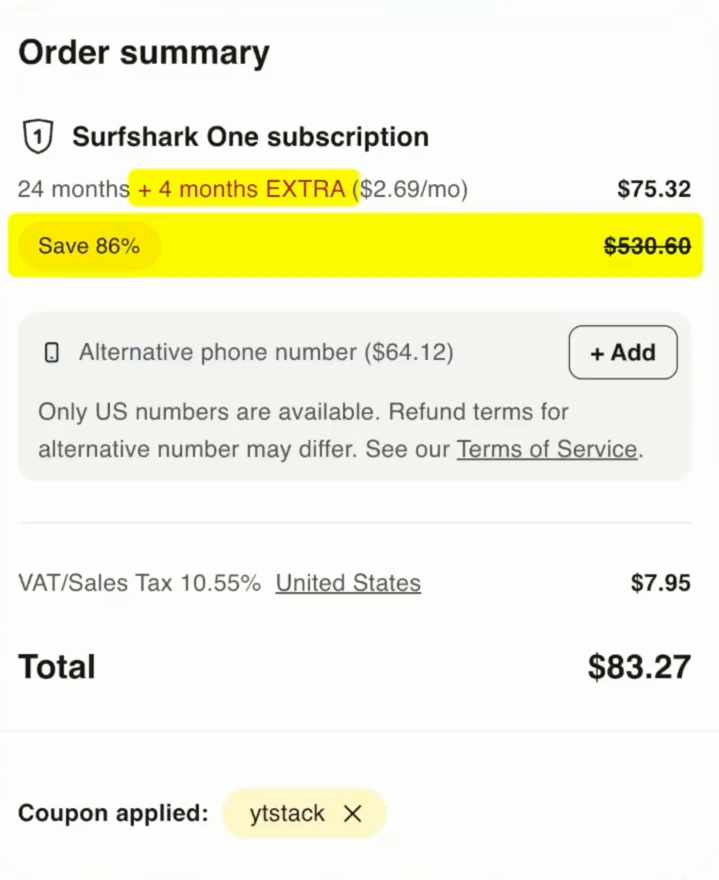
Up to 87% off + 4 months free with code YTSTACK.
1. NordVPN: the widest library coverage
NordVPN tends to top independent Netflix tests for sheer catalog coverage, and NordLynx is the quickest of the big names on distant servers, exactly where others start to buffer. Japanese anime from a sofa in Ohio is the kind of job it does best. Its obfuscation tools are the best in this group, which helps on networks that fight VPN traffic, like hotel or university Wi-Fi, and Threat Protection blocks malicious sites and ads.
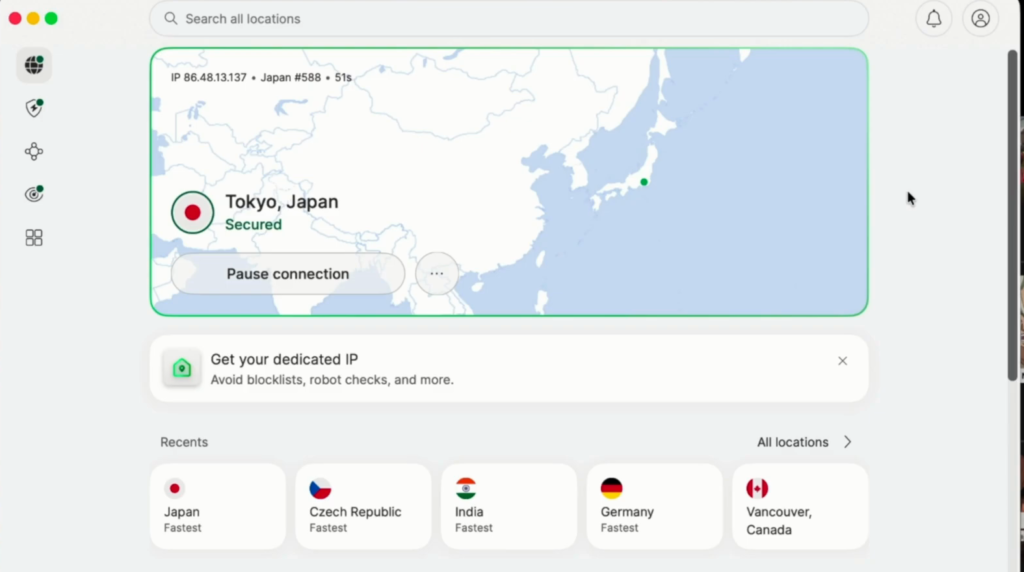
The catches: you get up to 10 connections, which a busy household can use up. And one setting trips people up: NordVPN warns that “Prevent VPN bypass” can interfere with streaming, so it’s the first switch to check if Netflix won’t load.
2. Surfshark: every screen in the house
Surfshark is the only major provider with genuinely unlimited device connections, and for streaming that matters: the living room TV, the kitchen tablet, your phone and the laptop all stay connected on one account. It has stayed reliable across the big libraries in recent independent testing, including the US, the UK, Japan, Canada and most of Europe.
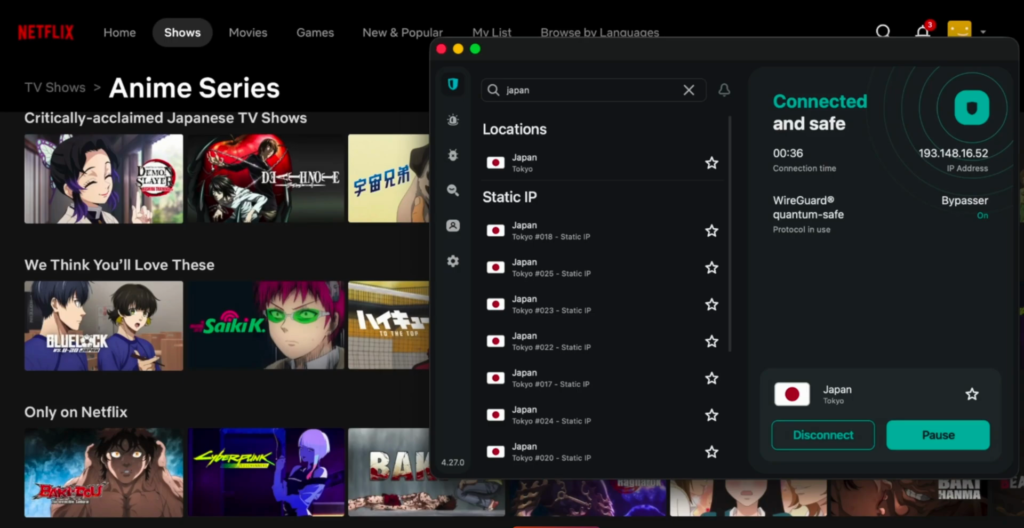
It runs WireGuard for speed, a kill switch so a dropped tunnel never shows your real location mid-episode, CleanWeb to strip ads and trackers, and an independently audited no-logs policy. The honest note: on very long routes it gives up a bit more speed than NordVPN, though it stays comfortably above what Ultra HD needs.
3. ProtonVPN: privacy first
ProtonVPN has the best free plan of any VPN, with no data cap, but for Netflix it disappoints: Proton doesn’t promise streaming on free servers, the free plan covers one device and a few locations, and those crowded free addresses are the ones Netflix blocks hardest. Proton guarantees streaming only on paid plans. Where it wins outright is trust: Swiss jurisdiction, open-source apps and repeated independent audits.
How to get the deals
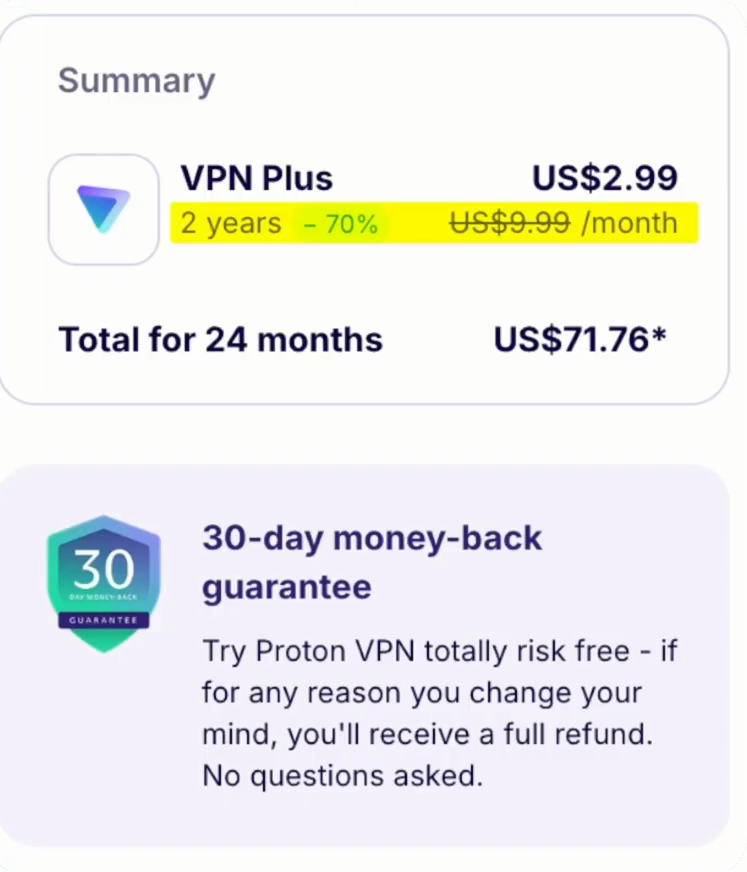
The NordVPN and Surfshark links apply YTSTACK with 4 extra months automatically. The ProtonVPN link loads Proton’s current discount. All three carry a 30-day money-back guarantee, so you can test them against your own Netflix account and TV.
How to watch American Netflix from abroad (step by step)
Step 1 — Get a VPN that unblocks US Netflix
You need one with streaming-optimised US servers. NordVPN is the most consistent for American Netflix — its SmartPlay feature handles the unblocking automatically across 7,000+ servers, so you don’t change a single setting. Surfshark is the cheaper alternative if you want unlimited devices on one account. Skip free VPNs for this; here’s why further down.
Step 2 — Install the app and sign in
Download the app for your device — Windows, Mac, iPhone, Android, or a Fire TV Stick — and log in. If you’re setting it up on a TV, install the app from your device’s store the same way you’d add any other.
Step 3 — Connect to a US server
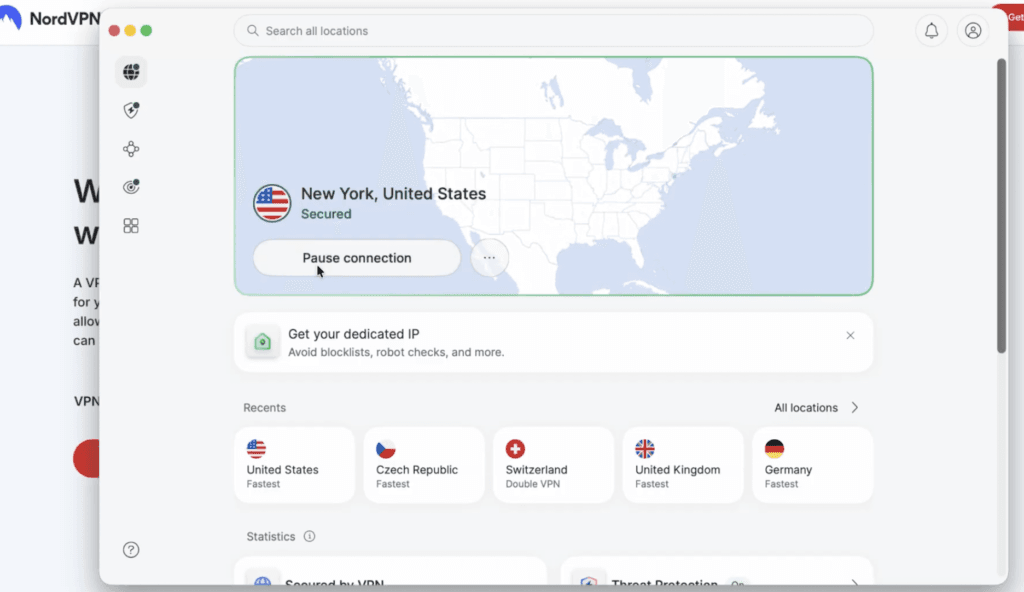
Open the app and connect to a server in the United States. Any US city works for the main US library — pick one geographically close to you for better speed. Wait until the status reads connected before you do anything else.
Step 4 — Open Netflix and refresh
Now open Netflix in your browser or app. If you were already signed in, refresh the page (or close and reopen the app) so Netflix re-checks your location. You should now see the US catalogue — US-only titles that weren’t there before are the proof it worked.
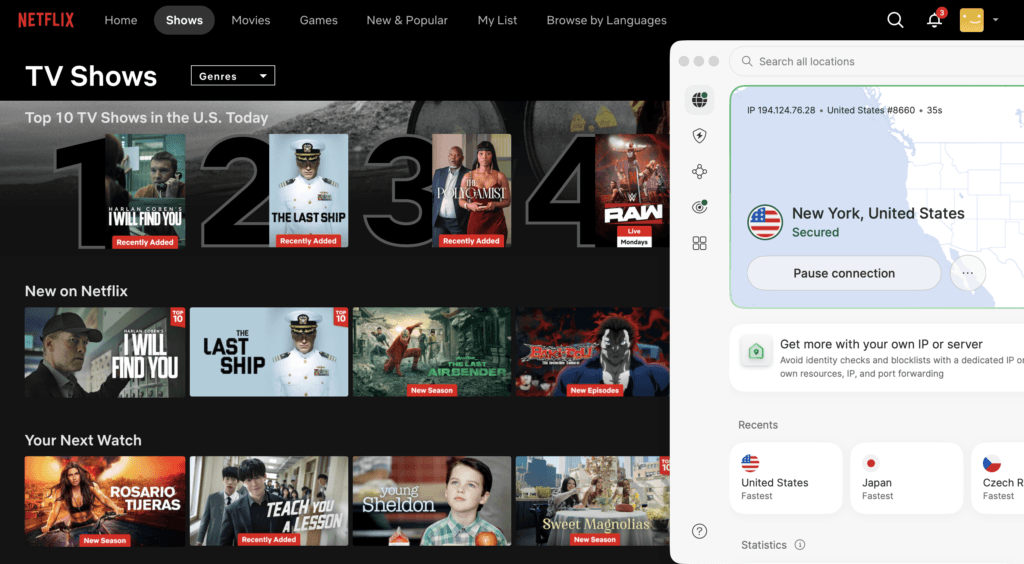
Step 5 — Hit a block? Switch US servers
If Netflix throws a proxy error instead of the US library, don’t panic — it just means that one server’s IP is flagged. Disconnect, connect to a different US server, and reload. That alone fixes it most of the time. The next section covers the rest.
Fix Netflix VPN errors
- Connect the VPN before you open Netflix. Netflix caches your location the moment it loads.
- Got error E106? Don’t switch provider. Disconnect, pick a different city in the same country, clear your cookies and reload. Usually one server address got flagged, not the whole service.
- On NordVPN, check the “Prevent VPN bypass” setting first.
- On a TV, check the app situation before you buy: Android TV, Apple TV and Amazon Fire devices take a proper VPN app; Samsung and LG smart TVs don’t, so run the VPN on your router or share a protected connection from your computer.
My take
If Netflix libraries are the point, I’d pick NordVPN: it’s the one I’d trust to open the US or Japanese catalog from abroad on the first try, and it holds up on the long routes where others buffer. For a family with several TVs and a pile of tablets, Surfshark’s unlimited devices beat NordVPN’s 10.
And check your Netflix plan before paying for anything. On the ad-supported plan, none of these will help.
Who should pick NordVPN
Pick NordVPN if you want the most libraries, the fastest long-distance streaming and the best chance on hotel or campus Wi-Fi.
Get NordVPN for Netflix
YTSTACK and 4 extra months are applied automatically through the link.
Who should pick Surfshark
Pick Surfshark if you want every device in the house covered on one account at the lowest price.
Get Surfshark for Netflix
YTSTACK and 4 extra months are applied automatically through the link.
FAQ
Does Netflix work with a VPN?
Often, yes, with a good paid VPN and an ad-free Netflix plan. Netflix doesn’t support VPNs on its ad-supported plan or for live events, and it blocks addresses it recognizes as VPN servers, which is why the provider matters.
Why do I get Netflix error E106?
Netflix thinks you’re using a VPN or proxy. Disconnect, connect to another city in the same country, clear your cookies and reload. On NordVPN, also check the “Prevent VPN bypass” setting.
Which VPN is best for Netflix on a smart TV?
On Android TV, Apple TV and Fire TV, install the VPN app directly. Samsung and LG smart TVs don’t support VPN apps, so use a VPN on your router or share the connection from a computer. Surfshark’s unlimited devices make it the easiest for households.
Can I use a free VPN for Netflix?
Not reliably. ProtonVPN’s free plan is the best free VPN, but Proton doesn’t promise streaming on it, and free server addresses are the ones Netflix blocks most.
Can I watch US Netflix from abroad with a VPN?
Yes, with a VPN that keeps fresh US addresses, such as NordVPN or Surfshark, and an ad-free Netflix plan.
Will a VPN slow down Netflix?
A little, mostly on far-away servers. NordVPN loses the least speed on long routes; all three stay above what HD and Ultra HD streaming need on nearby servers.
Related next step
Weighing Surfshark against Proton? Read Surfshark vs ProtonVPN. Gaming too? See whether NordVPN is good for gaming. Comparing the two picks? See NordVPN vs Surfshark. All VPN guides are in the VPN hub.